imaginX is used by many amazing schools and universities

University / College

Learning Objectives

At the end of this simulation, you will be able to:
  • Learn the core concepts of CRISPR technology and its role in precise gene editing.
  • Use virtual labs to design and implement CRISPR experiments, guide RNA sequences, and target specific DNA regions.
  • Participate in interactive scenarios to explore the use of CRISPR in diagnostic tools and therapeutic applications.
  • Analyze how CRISPR is utilized to identify genetic disorders, develop treatments, and improve disease prevention.
  • Simulate real-world applications of CRISPR in agriculture to create pest-resistant crops and enhance yield.
  • Investigate the use of CRISPR in biotechnology research to address challenges in genetic enhancement and modification.

How do virtual labs work?

Enhance students' involvement in science by immersing them in interactive learning scenarios. Create simulations for experiments, provide hands-on training in laboratory techniques, and convey theoretical concepts through captivating visual experiences to improve their overall long-term learning outcomes.

  • Access web-based simulations that are compatible with laptops, Chromebooks, tablets, and iPads, eliminating the need for software installation.
  • Incorporate a teacher dashboard for automated grading and monitoring of student progress.
  • Utilize embedded quizzes to assist students in mastering scientific content.
  • Comprehensive repository of educational materials, including learning resources, lab reports, videos, theory pages, graphics, and more.

Relevant Course Packages All Course Packages

Manufacturing Processes Simulation

This XR simulation provides students with training on various manufacturing techniques such as machining, welding, casting, and 3D printing. Students will interact with virtual manufacturing environments, where they can operate CNC machines, 3D printers, and robotic assembly lines. The simulation includes interactive tutorials focused on optimizing production processes, generating toolpaths, and minimizing waste. Real-time feedback will help students assess manufacturing efficiency, material usage, and production quality, enabling them to enhance skills for modern manufacturing applications.

Human Anatomy and Physiology Simulation

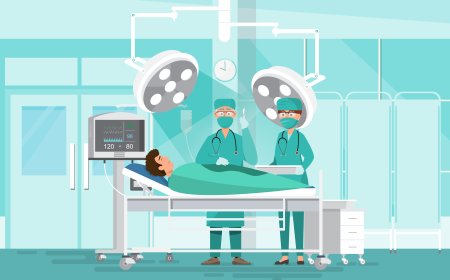
Provide an in-depth understanding of human anatomy and physiology with a focus on systems relevant to biomedical applications. Using immersive XR technology, students can explore and interact with virtual 3D models of the human body, gaining insights into organ systems, tissues, and cells and their implications for medical device design.

Thermodynamics and Heat Transfer in Aerospace Systems

Explore the principles of thermal management in aerospace systems, focusing on efficient heat dissipation and insulation techniques for engines, fuselages, and spacecraft thermal control systems. Through virtual simulations, students will study the heat transfer processes including conduction, convection, and radiation, and apply them to real-world aerospace environments. Engage in interactive lessons to optimize thermal performance and ensure energy efficiency while preventing component overheating.

Microcontroller and Embedded Systems Programming

The Microcontroller and Embedded Systems module provides virtual environments (e.g., Arduino, Raspberry Pi) where students can design, simulate, and test embedded systems. Through interactive exercises, students learn to interface sensors, actuators, and communication modules, while writing and debugging code to control devices effectively.

Landing Gear Systems and Hydraulic Maintenance

Explore XR-based simulations for servicing and maintaining aircraft landing gear systems, with a focus on hydraulic and mechanical components. Students will inspect, repair, and replace landing gear assemblies, shock absorbers, tires, and brakes, while learning about hydraulic system operation and fluid checks. Real-time feedback ensures accurate troubleshooting and landing gear reliability.

Conduit Bending and Installation

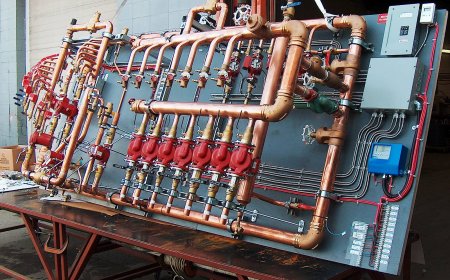
Master the skills of bending and installing electrical conduit to protect wiring in various settings. Through virtual simulations, students will practice bending rigid and flexible conduit using hand or mechanical benders, measuring, cutting, and installing conduit in walls, ceilings, or underground. Real-time feedback will be provided on the layout, accuracy of bends, and compliance with electrical codes.

LMS Integration

imaginX seamlessly integrates with leading LMS (Learning Management Systems), enabling educators to track student performance and allowing students to maintain their work records. It is compatible with popular platforms such as Canvas, Blackboard, Moodle, Google Classroom, Schoology, Sakai, Brightspace/D2L, and can also be used independently of an LMS.

Platform Features

Unlimited users faculty & students
Simulations
Simulations
Pedagogy Experts
Pedagogy Experts
Gamification
Gamification
Multiplayer
Multiplayer
Networking
Networking
Assignments
Assignments
Auto Grading
Auto Grading
AI
AI
LMS Integartion
LMS Integartion
Go Back Top