imaginX is used by many amazing schools and universities

University / College
Learning Objectives

At the end of this simulation, you will be able to:
  • Understand the design and function of artificial organs and implants in medical applications.
  • Explore the process of implanting and integrating artificial organs into the human body.
  • Analyze the performance of implants and artificial organs in virtual patients.
  • Learn to troubleshoot and optimize the function of artificial organs and implants.
  • Receive feedback on device performance, biocompatibility, and integration into patient systems.

How do virtual labs work?

Enhance students' involvement in science by immersing them in interactive learning scenarios. Create simulations for experiments, provide hands-on training in laboratory techniques, and convey theoretical concepts through captivating visual experiences to improve their overall long-term learning outcomes.

  • Access web-based simulations that are compatible with laptops, Chromebooks, tablets, and iPads, eliminating the need for software installation.
  • Incorporate a teacher dashboard for automated grading and monitoring of student progress.
  • Utilize embedded quizzes to assist students in mastering scientific content.
  • Comprehensive repository of educational materials, including learning resources, lab reports, videos, theory pages, graphics, and more.

Relevant Course Packages All Course Packages

Site Walk – Site Assessment

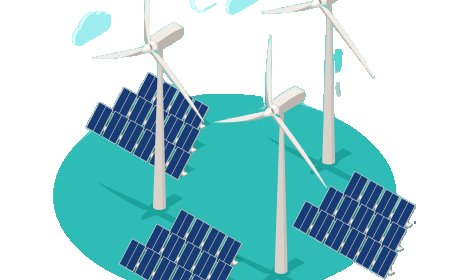
Engage in XR-based simulations to conduct detailed site assessments, evaluating environmental conditions, structures, and safety factors to ensure informed decision-making for project development.

Human Anatomy and Physiology Simulation

Provide an in-depth understanding of human anatomy and physiology with a focus on systems relevant to biomedical applications. Using immersive XR technology, students can explore and interact with virtual 3D models of the human body, gaining insights into organ systems, tissues, and cells and their implications for medical device design.

CAM (Computer-Aided Manufacturing) Integration

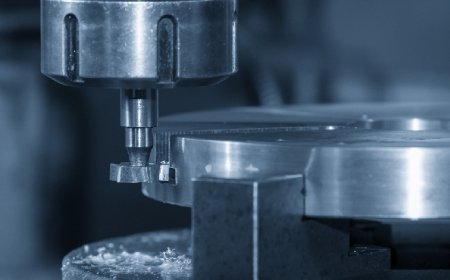
Explore XR-driven CAM (Computer-Aided Manufacturing) software simulations to teach students how to generate toolpaths for CNC machining. Students will virtually import 3D models, set up machining operations, and create G-code for CNC machines. Interactive lessons guide them through toolpath creation, cutting strategies, and simulating machining operations. Feedback on toolpath efficiency, machining time, and material removal helps refine their CAM and CNC programming skills.

Risk Assessment and Disaster Management

Train students in assessing risks and developing disaster management strategies for civil engineering projects. Engage with virtual scenarios simulating the impact of natural disasters like floods, landslides, and earthquakes on infrastructure. Learn how to create emergency response plans, implement risk mitigation measures, and develop post-disaster recovery strategies. Receive feedback on disaster preparedness, risk management techniques, and building resilience in infrastructure.

Aerodynamics and Fluid Dynamics (CFD)

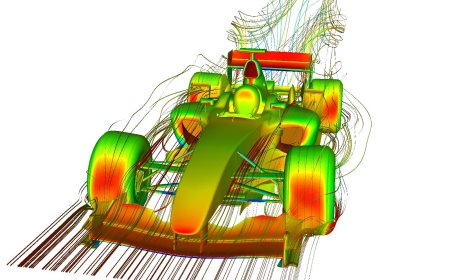
Explore the principles of aerodynamics and computational fluid dynamics (CFD) to analyze and optimize airflow around aircraft and spacecraft. Experience virtual simulations that allow you to visualize airflow patterns, pressure distribution, lift, drag, and turbulence across aerodynamic surfaces. Experiment with refining wing shapes, airfoils, and control surfaces to enhance flight performance. Gain insights through real-time feedback on aerodynamic efficiency, drag reduction, and flight stability in varying conditions.

Advanced Machining Techniques (5-Axis Machining, EDM)

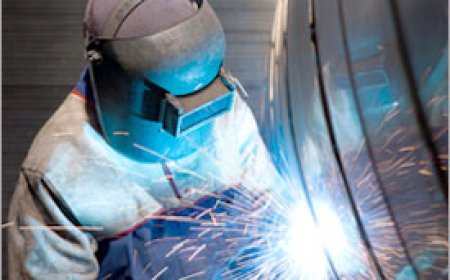
Explore XR-driven simulations of advanced machining techniques such as 5-axis machining and Electrical Discharge Machining (EDM). Students will virtually operate 5-axis machining centers to perform multi-axis operations on intricate parts and use EDM to machine hard materials with high precision. These simulations provide valuable hands-on experience in mastering advanced manufacturing processes. Feedback on part complexity, machining accuracy, and process optimization helps refine skills.

LMS Integration

imaginX seamlessly integrates with leading LMS (Learning Management Systems), enabling educators to track student performance and allowing students to maintain their work records. It is compatible with popular platforms such as Canvas, Blackboard, Moodle, Google Classroom, Schoology, Sakai, Brightspace/D2L, and can also be used independently of an LMS.

Platform Features

Unlimited users faculty & students
Simulations
Simulations
Pedagogy Experts
Pedagogy Experts
Gamification
Gamification
Multiplayer
Multiplayer
Networking
Networking
Assignments
Assignments
Auto Grading
Auto Grading
AI
AI
LMS Integartion
LMS Integartion
Go Back Top