imaginX is used by many amazing schools and universities

University / College
Learning Objectives

At the end of this simulation, you will be able to:
  • Learn to interpret construction blueprints, identifying dimensions, layouts, and key details.
  • Gain hands-on experience in marking and laying out floor plans, walls, and structural elements.
  • Understand how to translate blueprint specifications into accurate on-site construction tasks.
  • Develop skills in ensuring alignment and accuracy during the layout process.
  • Receive real-time feedback on blueprint interpretation, layout precision, and adherence to construction specifications.

How do virtual labs work?

Enhance students' involvement in science by immersing them in interactive learning scenarios. Create simulations for experiments, provide hands-on training in laboratory techniques, and convey theoretical concepts through captivating visual experiences to improve their overall long-term learning outcomes.

  • Access web-based simulations that are compatible with laptops, Chromebooks, tablets, and iPads, eliminating the need for software installation.
  • Incorporate a teacher dashboard for automated grading and monitoring of student progress.
  • Utilize embedded quizzes to assist students in mastering scientific content.
  • Comprehensive repository of educational materials, including learning resources, lab reports, videos, theory pages, graphics, and more.

Relevant Course Packages All Course Packages

Thermostat Installation and Calibration

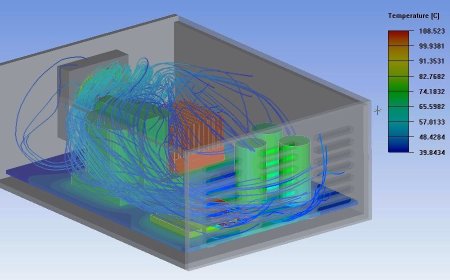
The Thermostat Installation and Calibration Simulation trains users on installing and calibrating HVAC thermostats, including both programmable and smart thermostats. The simulation includes virtual scenarios for installing thermostats, connecting wiring, setting temperature schedules, and configuring Wi-Fi-enabled devices. Calibration exercises ensure thermostats accurately control HVAC systems. Feedback is provided on wiring accuracy, thermostat settings, and energy efficiency improvements.

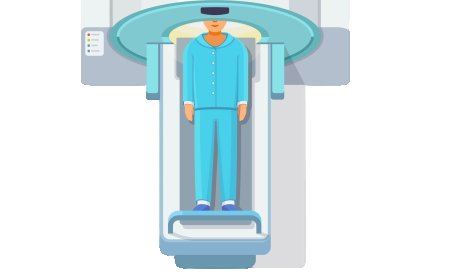
Computed Tomography (CT) Simulation

Train students on the operation of CT scanners, patient positioning, and the interpretation of generated images, enhanced with XR-based simulations for hands-on learning.

Drill Press Operation and Hole Machining

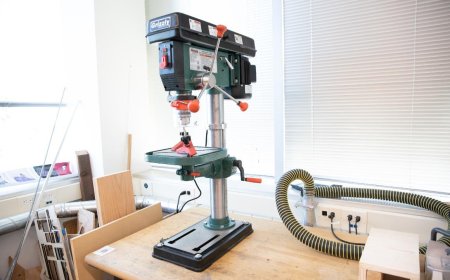
Train students in the safe and efficient operation of a drill press, including drilling, reaming, and tapping operations. Through XR simulations, students will practice drilling holes to precise specifications, adjusting speeds and selecting the right drill bits for different materials. The simulation will allow hands-on experience in workpiece alignment, tool selection, and achieving accurate hole dimensions. Real-time feedback will guide students on maintaining optimal drilling performance, improving hole quality, and mastering chip removal techniques.

Artificial Organs and Implants Simulation

Enhance students' understanding of artificial organs and implants through immersive XR simulations. Students will explore the design, function, and integration of artificial organs, including heart, kidney, and joint implants, and simulate their implantation and performance in virtual patients.

Propeller and Rotor Blade Maintenance

Explore inspection, repair, and balancing techniques for propellers and rotor blades in both fixed-wing and rotary aircraft. Simulate tasks such as aligning blades, detecting damage, adjusting pitch, and applying aerodynamic principles. Receive feedback on balancing precision, repair quality, and power transmission efficiency.

Emergency Airway Management and Intubation

Empower students with the skills to manage emergency airways through XR simulations. Students will practice endotracheal intubation, securing airways, and providing BVM ventilation in critical situations, honing their ability to respond effectively to respiratory emergencies.

LMS Integration

imaginX seamlessly integrates with leading LMS (Learning Management Systems), enabling educators to track student performance and allowing students to maintain their work records. It is compatible with popular platforms such as Canvas, Blackboard, Moodle, Google Classroom, Schoology, Sakai, Brightspace/D2L, and can also be used independently of an LMS.

Platform Features

Unlimited users faculty & students
Simulations
Simulations
Pedagogy Experts
Pedagogy Experts
Gamification
Gamification
Multiplayer
Multiplayer
Networking
Networking
Assignments
Assignments
Auto Grading
Auto Grading
AI
AI
LMS Integartion
LMS Integartion
Go Back Top