imaginX is used by many amazing schools and universities

University / College

Learning Objectives

At the end of this simulation, you will be able to:
  • Master the use of CAM software to import 3D models and set up CNC machining operations.
  • Learn to generate precise G-code for various machining tasks and CNC machine configurations.
  • Understand the principles behind toolpath creation and the selection of appropriate cutting strategies.
  • Simulate machining operations to analyze efficiency and optimize machining time.
  • Evaluate toolpath efficiency and material removal to enhance machining accuracy and productivity.

How do virtual labs work?

Enhance students' involvement in science by immersing them in interactive learning scenarios. Create simulations for experiments, provide hands-on training in laboratory techniques, and convey theoretical concepts through captivating visual experiences to improve their overall long-term learning outcomes.

  • Access web-based simulations that are compatible with laptops, Chromebooks, tablets, and iPads, eliminating the need for software installation.
  • Incorporate a teacher dashboard for automated grading and monitoring of student progress.
  • Utilize embedded quizzes to assist students in mastering scientific content.
  • Comprehensive repository of educational materials, including learning resources, lab reports, videos, theory pages, graphics, and more.

Relevant Course Packages All Course Packages

CNC Programming and Machining

Explore CNC programming and machining with XR simulations, providing hands-on experience in automated production for various machining operations.

Basic Welding Techniques Simulation

The Basic Welding Techniques Simulation provides hands-on practice with key welding methods including MIG, TIG, Stick, and Oxy-Acetylene welding. The simulation allows users to adjust parameters like power, speed, and angle to optimize weld quality. With XR integration, learners can interact with realistic tools and environments for a fully immersive experience.

Flight Simulation and Aircraft Dynamics

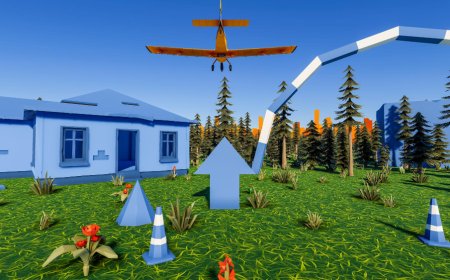
Explore the fundamentals of aircraft motion and dynamics in a hands-on virtual flight simulator. Gain an understanding of stability, control, and maneuverability by controlling aircraft under various conditions and analyzing pitch, roll, yaw, and acceleration. Interactive tutorials provide insights into how control surfaces and aerodynamic forces impact aircraft movement, while real-time feedback helps refine your skills in managing flight stability and maneuver efficiency.

Arterial Blood Gas (ABG) Interpretation

Enhance students' skills in interpreting arterial blood gas (ABG) results with immersive XR simulations. Students will analyze ABG values, identify imbalances, and understand their clinical implications for patient care.

Smart Home and Automation Systems

Explore modern electrical systems, focusing on smart home automation for lighting, HVAC, and security. Through virtual simulations, students will install and configure smart lighting, thermostats, cameras, and voice-activated devices. They will practice setting up and troubleshooting Wi-Fi-enabled smart home devices, learning to integrate them with traditional electrical systems. Real-time feedback will be provided on compatibility, system efficiency, and connectivity troubleshooting.

Grounding and Bonding Simulation

Learn proper grounding and bonding techniques to prevent electrical shock and ensure system safety. Through virtual simulations, students will install grounding rods, wires, and bonding systems for electrical panels, appliances, and equipment. Interactive scenarios will allow testing of grounding systems with virtual testers and multimeters, providing real-time feedback on grounding integrity, system safety, and adherence to NEC standards.

LMS Integration

imaginX seamlessly integrates with leading LMS (Learning Management Systems), enabling educators to track student performance and allowing students to maintain their work records. It is compatible with popular platforms such as Canvas, Blackboard, Moodle, Google Classroom, Schoology, Sakai, Brightspace/D2L, and can also be used independently of an LMS.

Platform Features

Unlimited users faculty & students
Simulations
Simulations
Pedagogy Experts
Pedagogy Experts
Gamification
Gamification
Multiplayer
Multiplayer
Networking
Networking
Assignments
Assignments
Auto Grading
Auto Grading
AI
AI
LMS Integartion
LMS Integartion
Go Back Top