imaginX is used by many amazing schools and universities

University / College
Learning Objectives

At the end of this simulation, you will be able to:
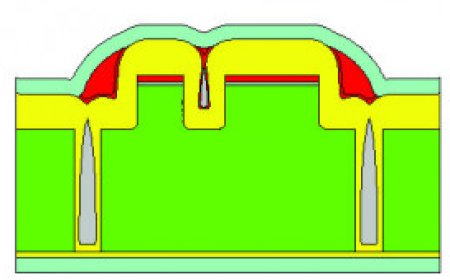
  • Learn the key principles of semiconductor cleanroom operations, including cleanliness standards and contamination control.
  • Explore virtual environments to navigate and operate within cleanroom settings while following essential guidelines.
  • Participate in interactive tutorials to practice wearing personal protective equipment (PPE), such as gowns, gloves, face masks, and shoe covers.
  • Receive real-time guidance to ensure proper donning and doffing techniques, maintaining the integrity of the cleanroom environment.
  • Receive instant feedback on following cleanroom protocols, including proper entry/exit procedures and workstation cleanliness.
  • Develop an understanding of semiconductor manufacturing standards, ensuring compliance with industry requirements and best practices.

How do virtual labs work?

Enhance students' involvement in science by immersing them in interactive learning scenarios. Create simulations for experiments, provide hands-on training in laboratory techniques, and convey theoretical concepts through captivating visual experiences to improve their overall long-term learning outcomes.

  • Access web-based simulations that are compatible with laptops, Chromebooks, tablets, and iPads, eliminating the need for software installation.
  • Incorporate a teacher dashboard for automated grading and monitoring of student progress.
  • Utilize embedded quizzes to assist students in mastering scientific content.
  • Comprehensive repository of educational materials, including learning resources, lab reports, videos, theory pages, graphics, and more.

Relevant Course Packages All Course Packages

Underwater Welding Basics Simulation

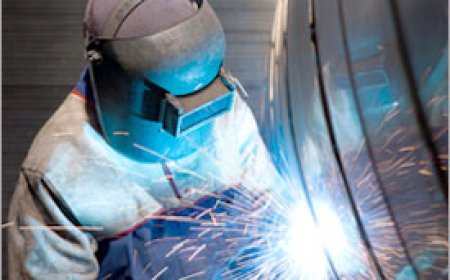
The Underwater Welding Basics Simulation introduces students to the unique challenges faced by underwater welders in industries like marine, oil, and gas. This simulation allows students to virtually practice underwater welding, including the use of specialized equipment and managing visibility and pressure conditions. It also covers safety protocols, dive techniques, and the key differences between wet and dry welding. Students receive real-time feedback on managing electrical current, welding speed, and ensuring the quality of welds in an underwater environment.

Avionics Systems Troubleshooting

Explore XR-based simulations for maintaining and repairing avionics systems, including communication, navigation, and monitoring equipment. Students will engage with components like radar systems, transponders, flight control systems, and GPS, troubleshooting electrical issues, calibrating instruments, and updating software. Real-time feedback ensures optimal diagnostic accuracy, fault identification, and avionics performance.

Opening and Closing Manholes

Explore best practices for safely and efficiently opening and closing manholes using XR technology to simulate real-world scenarios.

Machining Tolerances and Fits

Explore XR-based simulations for machining parts to meet specified tolerances and selecting appropriate fits for mating components. Students will interact with virtual machining scenarios, adjusting parameters to achieve precise tolerances, whether it's clearance, interference, or transition fits. This experience provides a deeper understanding of machining precision, helping to avoid the production of undersized or oversized parts. Real-time feedback ensures that users can evaluate part quality, tolerance control, and fit accuracy for optimal machining results.

Engine Design and Powertrain Systems

Explore the intricate world of engine design and powertrain systems in a fully immersive XR environment. This simulation allows students to engage with virtual 3D models of both gasoline and diesel engines. Students can disassemble, study, and reassemble components like pistons, cylinders, crankshafts, and fuel injectors to understand their function and interaction.

Concrete Technology and Mix Design

Enhance understanding of concrete mix design and its application in diverse construction scenarios. Students can experiment in virtual labs, selecting materials like cement, aggregates, water, and admixtures to create optimized concrete mixes. Interactive tests on properties such as compressive strength, workability, and durability provide practical insights. Feedback highlights efficiency, material selection, and strategies to achieve superior concrete performance.

LMS Integration

imaginX seamlessly integrates with leading LMS (Learning Management Systems), enabling educators to track student performance and allowing students to maintain their work records. It is compatible with popular platforms such as Canvas, Blackboard, Moodle, Google Classroom, Schoology, Sakai, Brightspace/D2L, and can also be used independently of an LMS.

Platform Features

Unlimited users faculty & students
Simulations
Simulations
Pedagogy Experts
Pedagogy Experts
Gamification
Gamification
Multiplayer
Multiplayer
Networking
Networking
Assignments
Assignments
Auto Grading
Auto Grading
AI
AI
LMS Integartion
LMS Integartion
Go Back Top