imaginX is used by many amazing schools and universities

University / College

Learning Objectives

At the end of this simulation, you will be able to:
  • Understand the principles of calibrating and maintaining clinical equipment.
  • Gain practical experience in troubleshooting and optimizing devices like ventilators and ECG machines.
  • Learn to identify technical issues and replace parts to restore equipment functionality.
  • Apply best practices to ensure equipment reliability and adherence to safety standards.
  • Receive real-time feedback on troubleshooting skills and calibration accuracy.

How do virtual labs work?

Enhance students' involvement in science by immersing them in interactive learning scenarios. Create simulations for experiments, provide hands-on training in laboratory techniques, and convey theoretical concepts through captivating visual experiences to improve their overall long-term learning outcomes.

  • Access web-based simulations that are compatible with laptops, Chromebooks, tablets, and iPads, eliminating the need for software installation.
  • Incorporate a teacher dashboard for automated grading and monitoring of student progress.
  • Utilize embedded quizzes to assist students in mastering scientific content.
  • Comprehensive repository of educational materials, including learning resources, lab reports, videos, theory pages, graphics, and more.

Relevant Course Packages All Course Packages

Immunology and Vaccine Development

Explore the principles of immunology and the development of vaccines and therapeutic antibodies through immersive XR experiences. Enhance understanding of immune responses, antigen-antibody interactions, and the design of immunotherapies with virtual labs and interactive tutorials.

Human-Machine Interface (HMI) Design

Equip students with the skills to design and program Human-Machine Interface (HMI) systems for industrial automation. Through virtual simulations, students will create HMI dashboards to monitor and control machinery, systems, and processes. They will interact with various machine parameters, such as system start-up, shutdown, and emergency stop functions, while receiving feedback on user interface design, system responsiveness, and ease of use.

Pumping Systems and Sump Pump Installation

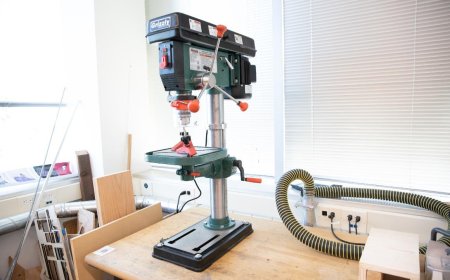
Explore the installation and maintenance of pumping systems, including sump pumps, to prevent flooding. Virtual practice in setting up discharge lines, configuring float switches, and performing routine maintenance to ensure system reliability.

Quantum Mechanics and Nanotechnology

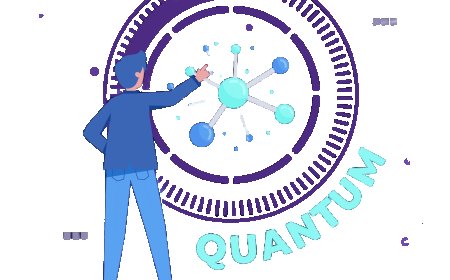
Delve into the fascinating world of quantum mechanics and its transformative applications in the field of nanotechnology. This course provides students with a comprehensive understanding of the quantum principles that govern the behavior of matter at the nanoscale, and how these principles can be leveraged to create advanced materials and devices.

Thermal Stress Management and Warping Prevention Simulation

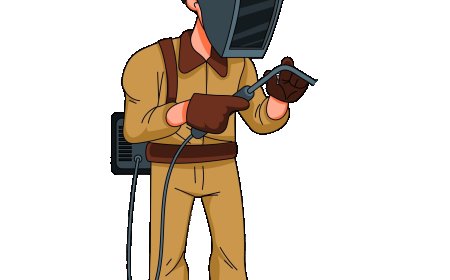
The Thermal Stress Management and Warping Prevention Simulation teaches students how to manage thermal stress and prevent material warping during the welding process. It includes virtual scenarios where temperature changes and thermal expansion are monitored while welding. Students engage in exercises to adjust their welding methods, preheat/postheat treatment, or apply clamping techniques to minimize warping. Feedback is given on thermal stress, material distortion, and the effectiveness of preventive measures to ensure high-quality welds.

Disaster Preparedness and Mass Casualty Incident (MCI) Management

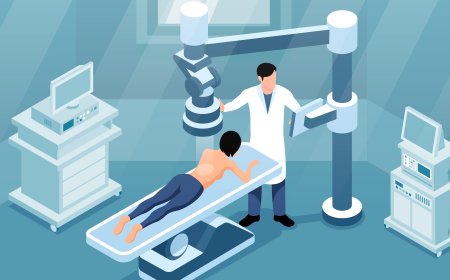
Immerse students in disaster preparedness and mass casualty incident (MCI) management through XR simulations. Students will explore virtual disaster scenarios, including natural disasters, chemical spills, and terrorist attacks, while practicing triage, resource allocation, and coordination with emergency services.

LMS Integration

imaginX seamlessly integrates with leading LMS (Learning Management Systems), enabling educators to track student performance and allowing students to maintain their work records. It is compatible with popular platforms such as Canvas, Blackboard, Moodle, Google Classroom, Schoology, Sakai, Brightspace/D2L, and can also be used independently of an LMS.

Platform Features

Unlimited users faculty & students
Simulations
Simulations
Pedagogy Experts
Pedagogy Experts
Gamification
Gamification
Multiplayer
Multiplayer
Networking
Networking
Assignments
Assignments
Auto Grading
Auto Grading
AI
AI
LMS Integartion
LMS Integartion
Go Back Top