imaginX is used by many amazing schools and universities

University / College

Learning Objectives

At the end of this simulation, you will be able to:
  • Apply remote sensing technology to analyze terrain and land use.
  • Interpret satellite and aerial imagery for civil engineering applications.
  • Detect changes in land features and resources over time using geospatial data.
  • Integrate geospatial analysis into effective infrastructure planning and management.
  • Evaluate the accuracy of geospatial data for real-world engineering projects.

How do virtual labs work?

Enhance students' involvement in science by immersing them in interactive learning scenarios. Create simulations for experiments, provide hands-on training in laboratory techniques, and convey theoretical concepts through captivating visual experiences to improve their overall long-term learning outcomes.

  • Access web-based simulations that are compatible with laptops, Chromebooks, tablets, and iPads, eliminating the need for software installation.
  • Incorporate a teacher dashboard for automated grading and monitoring of student progress.
  • Utilize embedded quizzes to assist students in mastering scientific content.
  • Comprehensive repository of educational materials, including learning resources, lab reports, videos, theory pages, graphics, and more.

Relevant Course Packages All Course Packages

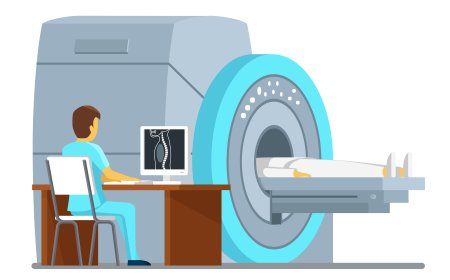
Computed Tomography (CT) Simulation

Train students on the operation of CT scanners, patient positioning, and the interpretation of generated images, enhanced with XR-based simulations for hands-on learning.

Energy Audits and Efficiency Simulations

Learn how to conduct energy audits and recommend energy-efficient upgrades for electrical systems. In this simulation, students will perform virtual energy audits for homes or businesses, analyzing energy consumption from lighting, HVAC, and appliances. They will then recommend electrical system upgrades, such as LED lighting or energy-efficient appliances. Real-time feedback will be provided on cost savings, energy usage reduction, and the environmental impact of their recommendations.

Underwater Welding Basics Simulation

The Underwater Welding Basics Simulation introduces students to the unique challenges faced by underwater welders in industries like marine, oil, and gas. This simulation allows students to virtually practice underwater welding, including the use of specialized equipment and managing visibility and pressure conditions. It also covers safety protocols, dive techniques, and the key differences between wet and dry welding. Students receive real-time feedback on managing electrical current, welding speed, and ensuring the quality of welds in an underwater environment.

Electromagnetics and Wave Propagation

The Electromagnetics and Wave Propagation module allows students to explore the principles of electromagnetic fields and wave propagation through virtual labs and interactive scenarios. By simulating key concepts, students gain insights into the behavior of electromagnetic waves, field interactions, and signal transmission across various media and systems.

Mechanical Systems Design and Integration

Mechanical Systems Design and Integration offers hands-on experience in designing and integrating mechanical systems with electrical components and sensors. Students will engage in virtual assembly of mechanical systems, such as gears, motors, and actuators, while integrating sensors and control systems to automate processes. Real-time feedback on system performance, including power consumption, efficiency, and alignment, provides students with valuable insights to optimize designs and improve functionality.

Water Conservation and Green Plumbing Systems

Explore virtual scenarios for installing water-efficient fixtures and designing sustainable plumbing systems such as rainwater harvesting and greywater recycling. Learn how to implement eco-friendly solutions to reduce water usage and environmental impact. Receive feedback on system efficiency and water conservation effectiveness.

LMS Integration

imaginX seamlessly integrates with leading LMS (Learning Management Systems), enabling educators to track student performance and allowing students to maintain their work records. It is compatible with popular platforms such as Canvas, Blackboard, Moodle, Google Classroom, Schoology, Sakai, Brightspace/D2L, and can also be used independently of an LMS.

Platform Features

Unlimited users faculty & students
Simulations
Simulations
Pedagogy Experts
Pedagogy Experts
Gamification
Gamification
Multiplayer
Multiplayer
Networking
Networking
Assignments
Assignments
Auto Grading
Auto Grading
AI
AI
LMS Integartion
LMS Integartion
Go Back Top