imaginX is used by many amazing schools and universities

University / College
Learning Objectives

At the end of this simulation, you will be able to:
  • Learn essential bioinformatics methods for analyzing biological data, such as DNA sequence alignment, gene prediction, and protein structure analysis.
  • Use virtual lab tools to simulate real-world scenarios in genome analysis and pathway mapping.
  • Explore interactive tutorials on popular bioinformatics software like BLAST, protein databases, and molecular docking simulations.
  • Model complex biological pathways in virtual environments to understand cellular interactions and metabolic networks.
  • Analyze experimental data to determine relationships between genes, proteins, and biological functions.

How do virtual labs work?

Enhance students' involvement in science by immersing them in interactive learning scenarios. Create simulations for experiments, provide hands-on training in laboratory techniques, and convey theoretical concepts through captivating visual experiences to improve their overall long-term learning outcomes.

  • Access web-based simulations that are compatible with laptops, Chromebooks, tablets, and iPads, eliminating the need for software installation.
  • Incorporate a teacher dashboard for automated grading and monitoring of student progress.
  • Utilize embedded quizzes to assist students in mastering scientific content.
  • Comprehensive repository of educational materials, including learning resources, lab reports, videos, theory pages, graphics, and more.

Relevant Course Packages All Course Packages

Troubleshooting HVAC Systems

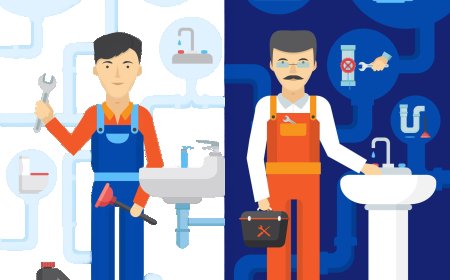
The Troubleshooting HVAC Systems Simulation teaches users how to troubleshoot common HVAC problems such as system malfunctions, low refrigerant, faulty components, and poor airflow. The simulation includes virtual diagnostic tools like multimeters, pressure gauges, and thermometers to test system components. Interactive fault scenarios guide students in diagnosing and repairing issues such as refrigerant leaks, compressor failures, and blocked filters. Real-time feedback is provided on problem diagnosis, repair accuracy, and system recovery.

Lathe Operation and Turning Techniques

Explore lathe operations for turning, facing, threading, and cutting with XR simulations, enhancing hands-on skills and ensuring precise machining.

Advanced Manufacturing Simulations

Explore and enhance your understanding of modern manufacturing processes such as additive manufacturing (3D printing) and smart factory environments. With XR simulations, students can engage in virtual assembly lines where IoT devices track performance and optimize production. Gain insights into advanced techniques like 3D printing, laser cutting, and automated inspection. Experience real-time feedback on system performance, process optimization, and predictive maintenance, all within an immersive XR environment.

Microcontroller and Embedded Systems Programming

The Microcontroller and Embedded Systems module provides virtual environments (e.g., Arduino, Raspberry Pi) where students can design, simulate, and test embedded systems. Through interactive exercises, students learn to interface sensors, actuators, and communication modules, while writing and debugging code to control devices effectively.

Airway Management and Ventilation

Equip students with the skills needed for effective airway management and ventilatory support in critical patients through XR-powered simulations. Students will practice intubation, using bag-valve masks (BVM), inserting airway adjuncts, and managing oxygen levels in emergency respiratory situations.

Machine Maintenance and Troubleshooting

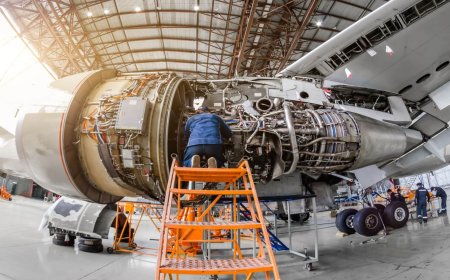
Engage in XR-driven simulations for machine maintenance, lubrication, and troubleshooting. Students will virtually perform preventive maintenance tasks such as oiling, cleaning, and inspecting machines for wear. Interactive scenarios will guide them through diagnosing and resolving common machining issues like chatter, tool breakage, misalignment, and poor surface finish. Real-time feedback on maintenance quality, machine performance, and troubleshooting accuracy helps refine their skills in maintaining and optimizing machine functionality.

LMS Integration

imaginX seamlessly integrates with leading LMS (Learning Management Systems), enabling educators to track student performance and allowing students to maintain their work records. It is compatible with popular platforms such as Canvas, Blackboard, Moodle, Google Classroom, Schoology, Sakai, Brightspace/D2L, and can also be used independently of an LMS.

Platform Features

Unlimited users faculty & students
Simulations
Simulations
Pedagogy Experts
Pedagogy Experts
Gamification
Gamification
Multiplayer
Multiplayer
Networking
Networking
Assignments
Assignments
Auto Grading
Auto Grading
AI
AI
LMS Integartion
LMS Integartion
Go Back Top