imaginX is used by many amazing schools and universities

University / College

Learning Objectives

At the end of this simulation, you will be able to:
  • Learn to use oxy-fuel and plasma cutting methods on different metals and thicknesses.
  • Master grinding techniques to achieve smooth edges for welding.
  • Practice surface preparation techniques to ensure weld quality.
  • Identify and correct issues with cut accuracy and surface finish.
  • Apply safety procedures during metal cutting and preparation.

How do virtual labs work?

Enhance students' involvement in science by immersing them in interactive learning scenarios. Create simulations for experiments, provide hands-on training in laboratory techniques, and convey theoretical concepts through captivating visual experiences to improve their overall long-term learning outcomes.

  • Access web-based simulations that are compatible with laptops, Chromebooks, tablets, and iPads, eliminating the need for software installation.
  • Incorporate a teacher dashboard for automated grading and monitoring of student progress.
  • Utilize embedded quizzes to assist students in mastering scientific content.
  • Comprehensive repository of educational materials, including learning resources, lab reports, videos, theory pages, graphics, and more.

Relevant Course Packages All Course Packages

Basic Tool Usage and Safety

The Basic Tool Usage and Safety Simulation teaches students how to safely and efficiently use basic carpentry tools, including both hand tools and power tools. Virtual tutorials guide students through the correct use of hand tools like hammers, saws, measuring tapes, levels, and chisels. The simulation also covers the operation of power tools such as circular saws, miter saws, drills, and nail guns. Safety scenarios help students understand proper handling, tool maintenance, and the importance of personal protective equipment (PPE). Real-time feedback focuses on tool handling, accuracy, and safety adherence.

Operating Room (OR) Setup Simulation

Immerse students in a highly interactive XR-powered simulation that teaches the essentials of setting up an operating room (OR) for various surgical procedures. This training focuses on mastering sterile techniques, equipment arrangement, and adherence to surgical protocols to ensure patient safety and efficiency.

HVAC Load Calculation and System Sizing

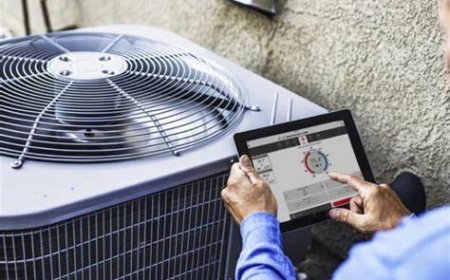
The HVAC Load Calculation and System Sizing Simulation teaches students how to calculate heating and cooling loads and properly size HVAC systems for different buildings. Virtual tools are provided for load calculation, factoring in building insulation, square footage, number of occupants, and climate conditions. Students then engage in interactive scenarios to select the appropriate HVAC equipment based on the calculated loads. Real-time feedback is provided on the accuracy of system sizing, energy efficiency, and overall occupant comfort.

Obstetric Emergencies and Childbirth Simulation

Immerse students in the management of obstetric emergencies and out-of-hospital childbirth through XR simulations. Students will explore delivering babies, handling complications such as breech presentations and postpartum hemorrhage, and providing critical care to both mother and newborn.

Staircase Building

The Staircase Building Simulation teaches students how to construct staircases, including stringers, risers, and treads, while ensuring code compliance and safety. Virtual scenarios guide students through laying out, cutting, and assembling staircase components. Interactive tutorials cover measuring rise and run, cutting stringers, and installing treads and risers. Real-time feedback is provided on staircase alignment, step dimensions, and adherence to safety and building codes.

Airway Clearance Techniques

Explore airway clearance techniques for managing mucus and secretions in patients with respiratory compromise through immersive simulations.

LMS Integration

imaginX seamlessly integrates with leading LMS (Learning Management Systems), enabling educators to track student performance and allowing students to maintain their work records. It is compatible with popular platforms such as Canvas, Blackboard, Moodle, Google Classroom, Schoology, Sakai, Brightspace/D2L, and can also be used independently of an LMS.

Platform Features

Unlimited users faculty & students
Simulations
Simulations
Pedagogy Experts
Pedagogy Experts
Gamification
Gamification
Multiplayer
Multiplayer
Networking
Networking
Assignments
Assignments
Auto Grading
Auto Grading
AI
AI
LMS Integartion
LMS Integartion
Go Back Top