imaginX is used by many amazing schools and universities

University / College
Learning Objectives

At the end of this simulation, you will be able to:
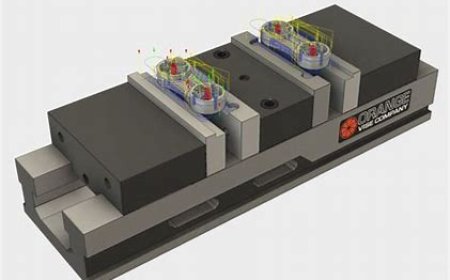
  • Operate CNC machines, 3D printers, and robotic assembly lines in a virtual manufacturing environment.
  • Understand key manufacturing techniques such as machining, welding, casting, and 3D printing.
  • Optimize production processes and toolpath generation for improved efficiency.
  • Minimize material waste and production inefficiencies through best practices.
  • Evaluate production quality and identify areas for improvement in manufacturing operations.

How do virtual labs work?

Enhance students' involvement in science by immersing them in interactive learning scenarios. Create simulations for experiments, provide hands-on training in laboratory techniques, and convey theoretical concepts through captivating visual experiences to improve their overall long-term learning outcomes.

  • Access web-based simulations that are compatible with laptops, Chromebooks, tablets, and iPads, eliminating the need for software installation.
  • Incorporate a teacher dashboard for automated grading and monitoring of student progress.
  • Utilize embedded quizzes to assist students in mastering scientific content.
  • Comprehensive repository of educational materials, including learning resources, lab reports, videos, theory pages, graphics, and more.

Relevant Course Packages All Course Packages

Siding Installation

The Siding Installation Simulation teaches students how to install exterior siding materials such as wood, vinyl, fiber cement, or metal. Students engage in virtual practice to measure, cut, and install siding materials on building walls. The simulation includes tutorials on aligning siding panels, securing them to the building frame, and adding trim pieces for a polished look. XR (Extended Reality) integration enhances the learning experience by allowing students to visualize the full-scale siding installation process and interact with 3D models of siding materials in a real-world setting.

Basic Tool Usage and Safety

The Basic Tool Usage and Safety Simulation teaches students how to safely and efficiently use basic carpentry tools, including both hand tools and power tools. Virtual tutorials guide students through the correct use of hand tools like hammers, saws, measuring tapes, levels, and chisels. The simulation also covers the operation of power tools such as circular saws, miter saws, drills, and nail guns. Safety scenarios help students understand proper handling, tool maintenance, and the importance of personal protective equipment (PPE). Real-time feedback focuses on tool handling, accuracy, and safety adherence.

Patient Assessment and Pulmonary Function Testing

Empower students to explore and master comprehensive respiratory assessments and pulmonary function testing through innovative XR simulations. Students will engage with virtual scenarios to assess lung sounds, measure respiratory rates, and perform tests like spirometry and blood gas analysis, enhancing their diagnostic skills.

Basic Machine Operation and Safety

Explore the safe operation of common machining tools like lathes, mills, grinders, and drill presses, using XR to enhance machine handling and safety protocols.

Geotechnical Engineering and Soil Mechanics

This XR simulation provides students with hands-on training in soil analysis, foundation design, and geotechnical investigation techniques. Virtual soil testing labs allow students to perform essential tests such as the Standard Penetration Test (SPT), Cone Penetration Test (CPT), and triaxial shear tests. The simulation includes interactive scenarios for designing shallow and deep foundations, retaining walls, and methods for slope stabilization. Students receive feedback on soil classification, bearing capacity, settlement predictions, and foundation stability to ensure they understand the fundamental principles of geotechnical engineering.

Respiratory Distress and Failure Management

Master the recognition and management of respiratory distress and failure through interactive simulations focused on both acute and chronic settings.

LMS Integration

imaginX seamlessly integrates with leading LMS (Learning Management Systems), enabling educators to track student performance and allowing students to maintain their work records. It is compatible with popular platforms such as Canvas, Blackboard, Moodle, Google Classroom, Schoology, Sakai, Brightspace/D2L, and can also be used independently of an LMS.

Platform Features

Unlimited users faculty & students
Simulations
Simulations
Pedagogy Experts
Pedagogy Experts
Gamification
Gamification
Multiplayer
Multiplayer
Networking
Networking
Assignments
Assignments
Auto Grading
Auto Grading
AI
AI
LMS Integartion
LMS Integartion
Go Back Top