imaginX is used by many amazing schools and universities

University / College
Learning Objectives

At the end of this simulation, you will be able to:
  • Understand the principles of comprehensive patient assessment in emergency care.
  • Assess key vital signs such as pulse, blood pressure, respiration rate, and oxygen saturation.
  • Analyze and interpret patient data to determine the urgency of care.
  • Prioritize care based on patient assessment and vital signs.
  • Receive feedback on the accuracy of assessments and clinical decision-making.

How do virtual labs work?

Enhance students' involvement in science by immersing them in interactive learning scenarios. Create simulations for experiments, provide hands-on training in laboratory techniques, and convey theoretical concepts through captivating visual experiences to improve their overall long-term learning outcomes.

  • Access web-based simulations that are compatible with laptops, Chromebooks, tablets, and iPads, eliminating the need for software installation.
  • Incorporate a teacher dashboard for automated grading and monitoring of student progress.
  • Utilize embedded quizzes to assist students in mastering scientific content.
  • Comprehensive repository of educational materials, including learning resources, lab reports, videos, theory pages, graphics, and more.

Relevant Course Packages All Course Packages

Disaster Preparedness and Mass Casualty Incident (MCI) Management

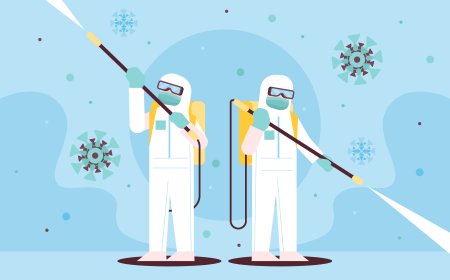
Immerse students in disaster preparedness and mass casualty incident (MCI) management through XR simulations. Students will explore virtual disaster scenarios, including natural disasters, chemical spills, and terrorist attacks, while practicing triage, resource allocation, and coordination with emergency services.

Energy Systems and Power Generation

This XR simulation teaches students the principles of energy conversion and power generation systems, including the use of renewable energy sources. Through virtual simulations, students can explore various power generation systems, such as steam turbines, internal combustion engines, wind turbines, and solar panels. Interactive scenarios guide students in analyzing energy efficiency, heat loss, and optimizing power output, with feedback on energy conversion rates, sustainability, and overall system performance.

Material Science and Mechanical Properties Analysis

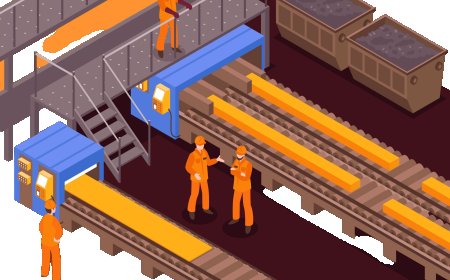
Introduce students to material properties, testing methods, and their applications in mechanical engineering through XR simulations. Students will engage in virtual material testing labs where they perform various tests such as tensile tests, hardness tests, impact tests, and fatigue analysis. The simulation includes interactive lessons on material properties like strength, ductility, toughness, and elasticity. Real-time feedback will help students understand material selection, suitability for specific applications, and how to optimize design for enhanced performance.

Aseptic Technique Simulation

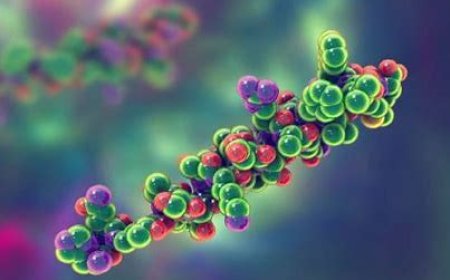
Reinforce the importance of aseptic techniques during surgery with XR-enabled scenarios that immerse students in maintaining a sterile environment. Students will practice critical procedures such as hand scrubbing, gowning, gloving, and managing the sterile field, with virtual consequences for breaches in sterility, such as simulated infections or procedural delays.

Thermodynamics and Heat Transfer in Aerospace Systems

Explore the principles of thermal management in aerospace systems, focusing on efficient heat dissipation and insulation techniques for engines, fuselages, and spacecraft thermal control systems. Through virtual simulations, students will study the heat transfer processes including conduction, convection, and radiation, and apply them to real-world aerospace environments. Engage in interactive lessons to optimize thermal performance and ensure energy efficiency while preventing component overheating.

Vehicle Diagnostics and Maintenance

Vehicle Diagnostics and Maintenance focuses on vehicle diagnostics, troubleshooting, and routine maintenance procedures. Students will use virtual diagnostic tools to identify issues in various vehicle systems, including the engine, transmission, electrical systems, and brakes. They will also learn how to use OBD-II scanners to read error codes, perform repairs, and apply preventative maintenance strategies.

LMS Integration

imaginX seamlessly integrates with leading LMS (Learning Management Systems), enabling educators to track student performance and allowing students to maintain their work records. It is compatible with popular platforms such as Canvas, Blackboard, Moodle, Google Classroom, Schoology, Sakai, Brightspace/D2L, and can also be used independently of an LMS.

Platform Features

Unlimited users faculty & students
Simulations
Simulations
Pedagogy Experts
Pedagogy Experts
Gamification
Gamification
Multiplayer
Multiplayer
Networking
Networking
Assignments
Assignments
Auto Grading
Auto Grading
AI
AI
LMS Integartion
LMS Integartion
Go Back Top