imaginX is used by many amazing schools and universities

University / College
Learning Objectives

At the end of this simulation, you will be able to:
  • Demonstrate proper wound care techniques, including cleaning, dressing, and monitoring post-operative wounds in XR simulations.
  • Safely transfer patients from the OR to the recovery room, following established protocols.
  • Monitor vital signs and recognize signs of complications in post-surgical patients.
  • Apply feedback to refine patient care skills and improve post-operative management.
  • Identify and respond to complications, ensuring patient safety and optimal recovery.

How do virtual labs work?

Enhance students' involvement in science by immersing them in interactive learning scenarios. Create simulations for experiments, provide hands-on training in laboratory techniques, and convey theoretical concepts through captivating visual experiences to improve their overall long-term learning outcomes.

  • Access web-based simulations that are compatible with laptops, Chromebooks, tablets, and iPads, eliminating the need for software installation.
  • Incorporate a teacher dashboard for automated grading and monitoring of student progress.
  • Utilize embedded quizzes to assist students in mastering scientific content.
  • Comprehensive repository of educational materials, including learning resources, lab reports, videos, theory pages, graphics, and more.

Relevant Course Packages All Course Packages

Basic Machine Operation and Safety

Explore the safe operation of common machining tools like lathes, mills, grinders, and drill presses, using XR to enhance machine handling and safety protocols.

Structural Dynamics and Vibration Analysis

Delve into the analysis and mitigation of vibrations in aerospace structures to enhance safety and performance. This XR-enabled simulation provides students with virtual scenarios where they can study vibration patterns in aircraft and spacecraft structures using modal analysis techniques. Interactive lessons on damping, frequency response, and resonance reduction in critical components empower students to optimize the structural integrity of aerospace systems.

Fixture Design and Workholding Techniques

Explore XR-based simulations for designing and using fixtures, jigs, and workholding devices for machining complex parts. Students will engage in virtual fixture design, learning to create custom fixtures to hold irregularly shaped workpieces securely. The interactive lessons cover clamping techniques, workpiece alignment, and ensuring rigidity during cutting operations. Real-time feedback helps students assess the effectiveness of their fixture designs, machining stability, and part accuracy, all while improving their ability to handle complex machining tasks.

Siding Installation

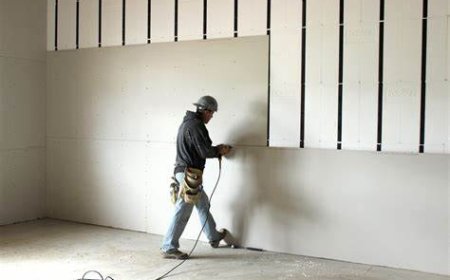
The Siding Installation Simulation teaches students how to install exterior siding materials such as wood, vinyl, fiber cement, or metal. Students engage in virtual practice to measure, cut, and install siding materials on building walls. The simulation includes tutorials on aligning siding panels, securing them to the building frame, and adding trim pieces for a polished look. XR (Extended Reality) integration enhances the learning experience by allowing students to visualize the full-scale siding installation process and interact with 3D models of siding materials in a real-world setting.

Surface Grinding and Finishing

Explore XR-based simulations for surface grinding and finishing operations. Students will interact with virtual surface grinders, simulating grinding processes on different materials to achieve precise flatness and superior surface finishes. Through scenarios involving the selection of grinding wheels, feed adjustments, and optimal workpiece setups, users can refine their skills in precision grinding. Feedback is provided on surface finish quality, material removal rates, and grinding accuracy, allowing users to enhance their machining abilities.

Motor Control Circuits Simulation

Explore the design and troubleshooting of motor control circuits used in industrial automation. In this simulation, students will virtually install and wire motor starters, relays, and control circuits for electric motors. They will program motor control systems, utilizing start/stop buttons, overload protection, and variable speed drives. The simulation offers real-time feedback on system performance, motor control accuracy, and troubleshooting techniques, enhanced with XR for an immersive learning experience.

LMS Integration

imaginX seamlessly integrates with leading LMS (Learning Management Systems), enabling educators to track student performance and allowing students to maintain their work records. It is compatible with popular platforms such as Canvas, Blackboard, Moodle, Google Classroom, Schoology, Sakai, Brightspace/D2L, and can also be used independently of an LMS.

Platform Features

Unlimited users faculty & students
Simulations
Simulations
Pedagogy Experts
Pedagogy Experts
Gamification
Gamification
Multiplayer
Multiplayer
Networking
Networking
Assignments
Assignments
Auto Grading
Auto Grading
AI
AI
LMS Integartion
LMS Integartion
Go Back Top