imaginX is used by many amazing schools and universities

University / College
Learning Objectives

At the end of this simulation, you will be able to:
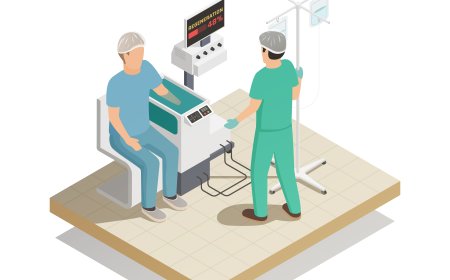
  • Understand the principles of robotic-assisted surgery and the functionality of medical robots.
  • Control robotic arms to perform minimally invasive surgeries and procedures.
  • Program medical robots for tasks like suturing, tissue manipulation, and making precise incisions.
  • Analyze and optimize robotic accuracy and control response for medical applications.
  • Receive real-time feedback on surgical precision, robotic device functionality, and task execution.

How do virtual labs work?

Enhance students' involvement in science by immersing them in interactive learning scenarios. Create simulations for experiments, provide hands-on training in laboratory techniques, and convey theoretical concepts through captivating visual experiences to improve their overall long-term learning outcomes.

  • Access web-based simulations that are compatible with laptops, Chromebooks, tablets, and iPads, eliminating the need for software installation.
  • Incorporate a teacher dashboard for automated grading and monitoring of student progress.
  • Utilize embedded quizzes to assist students in mastering scientific content.
  • Comprehensive repository of educational materials, including learning resources, lab reports, videos, theory pages, graphics, and more.

Relevant Course Packages All Course Packages

Tool Grinding and Sharpening

Explore the fundamentals of tool grinding and sharpening to optimize cutting tools for improved performance. This simulation features virtual grinding machines where users can sharpen various tools, including drill bits, lathe cutting tools, and milling cutters. Learn proper tool geometry, cutting angles, and sharpening techniques tailored to each tool type. Receive real-time feedback on tool sharpness, cutting efficiency, and proper selection of grinding wheels, ensuring tools are maintained to perform at their best.

Engineering Design and CAD Modeling

Enhance your skills in computer-aided design (CAD) for creating detailed 3D models and engineering blueprints in virtual environments.

3D CAD Modeling and Design

The 3D CAD Modeling and Design module introduces students to virtual design environments where they can create and manipulate 3D models. Through interactive simulations and tutorials, students learn essential CAD tools and techniques to design parts, build assemblies, and prototype models while ensuring design accuracy, manufacturability, and adherence to engineering standards.

Renewable Energy Systems (Solar & Wind)

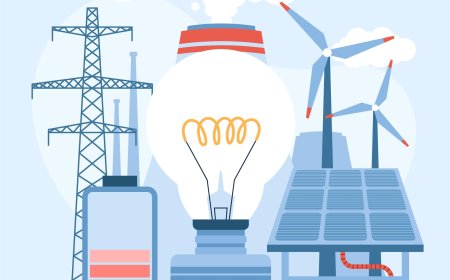
Learn how to install and maintain renewable energy systems, including solar photovoltaic (PV) systems and wind turbines. Through virtual simulations, students will install solar panels, inverters, and battery systems in both residential and commercial settings. They will also practice wiring wind turbines and integrating them with grid systems or off-grid installations. Real-time feedback will be provided on energy generation efficiency, grid tie-in, and troubleshooting renewable energy systems.

Conduit Bending and Installation

Master the skills of bending and installing electrical conduit to protect wiring in various settings. Through virtual simulations, students will practice bending rigid and flexible conduit using hand or mechanical benders, measuring, cutting, and installing conduit in walls, ceilings, or underground. Real-time feedback will be provided on the layout, accuracy of bends, and compliance with electrical codes.

Plasma Processing Simulation

Immerse in plasma processing through interactive XR simulations. Master key techniques for etching and deposition in semiconductor manufacturing, including reactive ion etching (RIE) and plasma-enhanced chemical vapor deposition (PECVD), with real-time process adjustments and optimization.

LMS Integration

imaginX seamlessly integrates with leading LMS (Learning Management Systems), enabling educators to track student performance and allowing students to maintain their work records. It is compatible with popular platforms such as Canvas, Blackboard, Moodle, Google Classroom, Schoology, Sakai, Brightspace/D2L, and can also be used independently of an LMS.

Platform Features

Unlimited users faculty & students
Simulations
Simulations
Pedagogy Experts
Pedagogy Experts
Gamification
Gamification
Multiplayer
Multiplayer
Networking
Networking
Assignments
Assignments
Auto Grading
Auto Grading
AI
AI
LMS Integartion
LMS Integartion
Go Back Top