imaginX is used by many amazing schools and universities

University / College
Learning Objectives

At the end of this simulation, you will be able to:
  • Understand the fundamental principles of fluid mechanics and their application to water resource systems.
  • Analyze and design hydraulic systems like dams, culverts, and pipelines to optimize water flow and efficiency.
  • Design effective drainage systems, flood control measures, and irrigation networks for sustainable water management.
  • Assess water flow behaviors and pressure distribution to ensure optimal performance and safety in hydraulic systems.
  • Learn to mitigate flood risks through proper planning and hydraulic design in various environmental contexts.

How do virtual labs work?

Enhance students' involvement in science by immersing them in interactive learning scenarios. Create simulations for experiments, provide hands-on training in laboratory techniques, and convey theoretical concepts through captivating visual experiences to improve their overall long-term learning outcomes.

  • Access web-based simulations that are compatible with laptops, Chromebooks, tablets, and iPads, eliminating the need for software installation.
  • Incorporate a teacher dashboard for automated grading and monitoring of student progress.
  • Utilize embedded quizzes to assist students in mastering scientific content.
  • Comprehensive repository of educational materials, including learning resources, lab reports, videos, theory pages, graphics, and more.

Relevant Course Packages All Course Packages

Cabinetry and Shelving Construction

The Cabinetry and Shelving Construction Simulation provides training in building and installing cabinetry, shelves, and storage systems for kitchens, bathrooms, and living spaces. Students engage in virtual scenarios where they design, cut, assemble, and install cabinets, drawers, and shelves. The simulation includes interactive tutorials on creating custom cabinetry using various joinery techniques, selecting and installing hinges and hardware, and ensuring overall functionality. XR (Extended Reality) integration adds an immersive experience, allowing students to visualize and interact with 3D models of their projects in real-time.

Basic Tool Usage and Safety

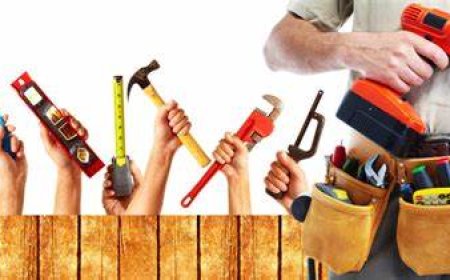
The Basic Tool Usage and Safety Simulation teaches students how to safely and efficiently use basic carpentry tools, including both hand tools and power tools. Virtual tutorials guide students through the correct use of hand tools like hammers, saws, measuring tapes, levels, and chisels. The simulation also covers the operation of power tools such as circular saws, miter saws, drills, and nail guns. Safety scenarios help students understand proper handling, tool maintenance, and the importance of personal protective equipment (PPE). Real-time feedback focuses on tool handling, accuracy, and safety adherence.

Environmental Biotechnology and Bioremediation

Utilize biotechnological techniques for environmental protection and pollution control through immersive XR simulations. Apply methods for soil, water, and air remediation using microbes, design biofilters, and implement phytoremediation strategies to address real-world environmental challenges.

Specialty Surgery Simulation (e.g., Neurosurgery, Orthopedics)

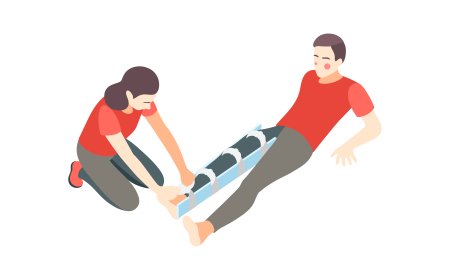
Provide students with exposure to specialized types of surgery, such as neurosurgery, orthopedic surgery, or cardiovascular surgery, through immersive XR simulations. These virtual scenarios focus on the unique instruments, techniques, and procedures associated with each surgical specialty. Students practice assisting during complex surgeries, such as spine operations, joint replacements, or brain surgeries, receiving real-time guidance on instrument handling, positioning, and support for high-precision tasks.

Metal Cutting and Preparation Simulation

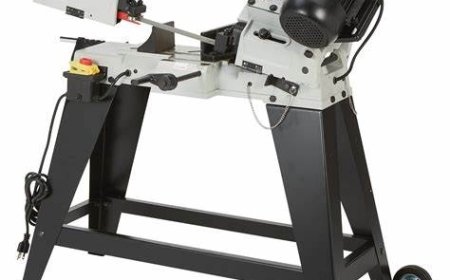
The Metal Cutting and Preparation Simulation immerses users in various metal cutting techniques such as oxy-fuel, plasma cutting, and grinding, all essential for preparing metals for welding. The simulation includes interactive scenarios for cutting different metals and thicknesses, along with grinding and smoothing edges. Feedback is provided on cut precision, surface quality, and preparation to ensure optimal conditions for welding.

Interior Design and Ergonomics

This module focuses on designing vehicle interiors with an emphasis on ergonomics, comfort, and user interface. Students will utilize virtual tools to create ergonomic dashboards, seating arrangements, control panels, and infotainment systems. The course includes interactive lessons on optimizing the driver's cabin for accessibility, visibility, and ease of use, with feedback on interior design aesthetics, user comfort, and control layout efficiency.

LMS Integration

imaginX seamlessly integrates with leading LMS (Learning Management Systems), enabling educators to track student performance and allowing students to maintain their work records. It is compatible with popular platforms such as Canvas, Blackboard, Moodle, Google Classroom, Schoology, Sakai, Brightspace/D2L, and can also be used independently of an LMS.

Platform Features

Unlimited users faculty & students
Simulations
Simulations
Pedagogy Experts
Pedagogy Experts
Gamification
Gamification
Multiplayer
Multiplayer
Networking
Networking
Assignments
Assignments
Auto Grading
Auto Grading
AI
AI
LMS Integartion
LMS Integartion
Go Back Top