imaginX is used by many amazing schools and universities

University / College
Learning Objectives

At the end of this simulation, you will be able to:
  • Identify defects such as cracks, porosity, undercut, and incomplete fusion in virtual weld inspections.
  • Understand the root causes of weld defects and how to adjust welding parameters to prevent them.
  • Practice techniques to rework and correct defective welds effectively.
  • Evaluate weld integrity and quality based on inspection criteria.
  • Develop strategies for minimizing defects and improving overall welding outcomes.

How do virtual labs work?

Enhance students' involvement in science by immersing them in interactive learning scenarios. Create simulations for experiments, provide hands-on training in laboratory techniques, and convey theoretical concepts through captivating visual experiences to improve their overall long-term learning outcomes.

  • Access web-based simulations that are compatible with laptops, Chromebooks, tablets, and iPads, eliminating the need for software installation.
  • Incorporate a teacher dashboard for automated grading and monitoring of student progress.
  • Utilize embedded quizzes to assist students in mastering scientific content.
  • Comprehensive repository of educational materials, including learning resources, lab reports, videos, theory pages, graphics, and more.

Relevant Course Packages All Course Packages

Neural Engineering and Brain-Computer Interfaces (BCIs)

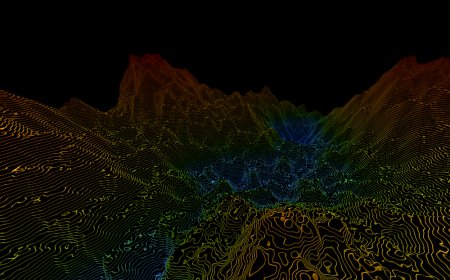
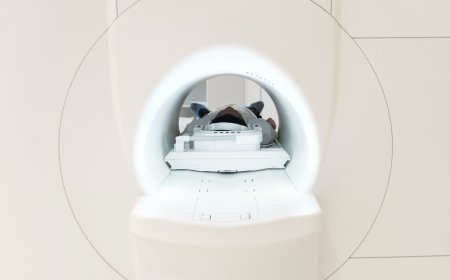
Immerse students in the design and testing of neural interfaces that connect the brain to external devices, such as prosthetic limbs and communication aids. Through advanced XR simulations, students will develop and refine brain-computer interfaces (BCIs), analyze EEG signals, and create algorithms for neural control.

Cabinetry and Shelving Construction

The Cabinetry and Shelving Construction Simulation provides training in building and installing cabinetry, shelves, and storage systems for kitchens, bathrooms, and living spaces. Students engage in virtual scenarios where they design, cut, assemble, and install cabinets, drawers, and shelves. The simulation includes interactive tutorials on creating custom cabinetry using various joinery techniques, selecting and installing hinges and hardware, and ensuring overall functionality. XR (Extended Reality) integration adds an immersive experience, allowing students to visualize and interact with 3D models of their projects in real-time.

Water Resources and Hydraulic Engineering

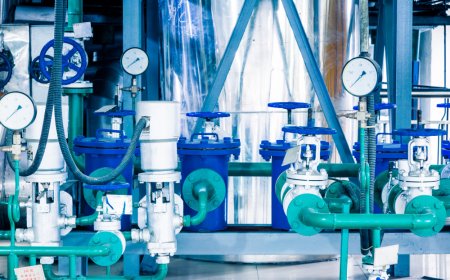
This XR simulation trains students in the principles of fluid mechanics, open channel flow, and water resource management. Students explore hydraulic systems such as dams, culverts, canals, and pipelines to study water flow behavior in real-world scenarios. Interactive lessons guide students through the design of drainage systems, flood control measures, and irrigation networks. The simulation provides feedback on water flow efficiency, pressure distribution, and flood risk mitigation to help students understand the critical aspects of water resource management and hydraulic engineering.

CNC Machine Programming and Operation

CNC Machine Programming and Operation trains students on Computer Numerical Control (CNC) machines, essential in modern manufacturing for automated machining. Students will virtually program CNC machines to cut, mill, or shape materials according to specific designs, and simulate the generation and execution of G-code. The course includes 3D visualization of machining paths, with real-time feedback on tool wear, precision, and cycle times to optimize machining processes.

Flooring Installation

The Flooring Installation Simulation teaches students how to install various types of flooring materials, including hardwood, laminate, tile, and carpeting. Virtual scenarios guide students through the process, from measuring and cutting materials to laying and securing floorboards or tiles. Tutorials cover preparing subfloors, aligning seams, and ensuring smooth, even surfaces for the final installation. Real-time feedback is provided on precision cutting, material placement, and proper finishing techniques to ensure a high-quality flooring installation.

Surface Grinding and Finishing

Explore XR-based simulations for surface grinding and finishing operations. Students will interact with virtual surface grinders, simulating grinding processes on different materials to achieve precise flatness and superior surface finishes. Through scenarios involving the selection of grinding wheels, feed adjustments, and optimal workpiece setups, users can refine their skills in precision grinding. Feedback is provided on surface finish quality, material removal rates, and grinding accuracy, allowing users to enhance their machining abilities.

LMS Integration

imaginX seamlessly integrates with leading LMS (Learning Management Systems), enabling educators to track student performance and allowing students to maintain their work records. It is compatible with popular platforms such as Canvas, Blackboard, Moodle, Google Classroom, Schoology, Sakai, Brightspace/D2L, and can also be used independently of an LMS.

Platform Features

Unlimited users faculty & students
Simulations
Simulations
Pedagogy Experts
Pedagogy Experts
Gamification
Gamification
Multiplayer
Multiplayer
Networking
Networking
Assignments
Assignments
Auto Grading
Auto Grading
AI
AI
LMS Integartion
LMS Integartion
Go Back Top