imaginX is used by many amazing schools and universities

University / College
Learning Objectives

At the end of this simulation, you will be able to:
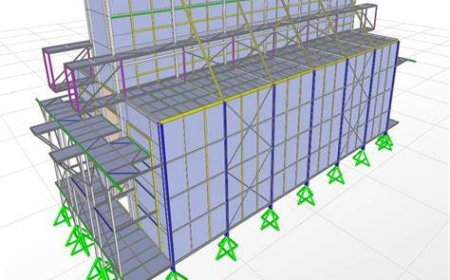
  • Analyze the impact of seismic forces on buildings, bridges, and other structures through virtual simulations.
  • Design earthquake-resistant structures using advanced techniques like base isolation and damping systems.
  • Explore material reinforcement strategies to improve structural integrity under seismic loads.
  • Evaluate structural safety standards and optimize designs for resilience.
  • Gain hands-on experience in mitigating earthquake damage through innovative design solutions.

How do virtual labs work?

Enhance students' involvement in science by immersing them in interactive learning scenarios. Create simulations for experiments, provide hands-on training in laboratory techniques, and convey theoretical concepts through captivating visual experiences to improve their overall long-term learning outcomes.

  • Access web-based simulations that are compatible with laptops, Chromebooks, tablets, and iPads, eliminating the need for software installation.
  • Incorporate a teacher dashboard for automated grading and monitoring of student progress.
  • Utilize embedded quizzes to assist students in mastering scientific content.
  • Comprehensive repository of educational materials, including learning resources, lab reports, videos, theory pages, graphics, and more.

Relevant Course Packages All Course Packages

Thermostat Installation and Calibration

The Thermostat Installation and Calibration Simulation trains users on installing and calibrating HVAC thermostats, including both programmable and smart thermostats. The simulation includes virtual scenarios for installing thermostats, connecting wiring, setting temperature schedules, and configuring Wi-Fi-enabled devices. Calibration exercises ensure thermostats accurately control HVAC systems. Feedback is provided on wiring accuracy, thermostat settings, and energy efficiency improvements.

Power Systems and Distribution Networks

The Power Systems and Distribution Networks module immerses students in virtual environments where they explore the design, operation, and analysis of electrical power grids. Through simulations and interactive tutorials, students learn to manage generators, transformers, transmission lines, and load centers, while optimizing system performance, detecting faults, and ensuring efficient energy distribution.

Aircraft Structural Repair and Sheet Metal Work

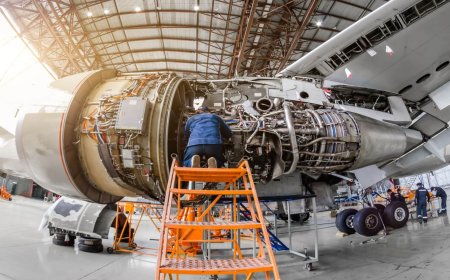
Engage with XR-based simulations for repairing aircraft structures, focusing on sheet metal work, composites, and ensuring structural integrity. Students will work on repairing fuselage sections, wings, and other components using riveting, welding, and composite techniques. Real-time feedback ensures adherence to engineering standards and maintains the aircraft's aerodynamic properties.

Mechanics of Solids and Fluids

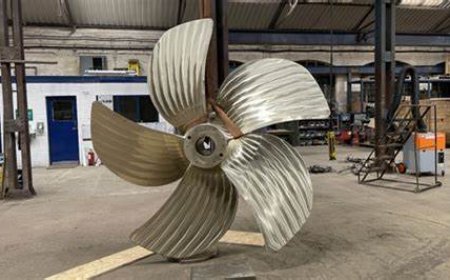
Equip students with the foundational knowledge of solid mechanics and fluid dynamics, key principles in engineering applications. This course focuses on understanding the behavior of solid materials under stress and strain, as well as the movement of fluids within various engineering systems. Students will explore how these principles interact to optimize structural designs and fluid-based systems.

Mechanical Ventilation Management

Equip students with the skills to manage mechanical ventilation for patients with respiratory failure using immersive XR simulations. Students will explore virtual environments where they adjust ventilator settings, manage different ventilation modes, and optimize respiratory support for various patient conditions.

Neonatal and Pediatric Respiratory Care

Provide an immersive learning experience to explore neonatal and pediatric respiratory care. This simulation allows students to manage ventilation, CPAP, and oxygen therapy, specifically tailored for infants and children, enhancing their ability to address pediatric respiratory distress with precision.

LMS Integration

imaginX seamlessly integrates with leading LMS (Learning Management Systems), enabling educators to track student performance and allowing students to maintain their work records. It is compatible with popular platforms such as Canvas, Blackboard, Moodle, Google Classroom, Schoology, Sakai, Brightspace/D2L, and can also be used independently of an LMS.

Platform Features

Unlimited users faculty & students
Simulations
Simulations
Pedagogy Experts
Pedagogy Experts
Gamification
Gamification
Multiplayer
Multiplayer
Networking
Networking
Assignments
Assignments
Auto Grading
Auto Grading
AI
AI
LMS Integartion
LMS Integartion
Go Back Top