imaginX is used by many amazing schools and universities

University / College
Learning Objectives

At the end of this simulation, you will be able to:
  • Develop proficiency in diagnosing common plumbing fixture issues like leaks, blockages, and malfunctions.
  • Virtually troubleshoot and repair plumbing fixtures, including faucets, drains, and toilets.
  • Practice disassembling and replacing worn parts, followed by correctly reassembling the fixtures.
  • Receive real-time feedback on repair efficiency, troubleshooting accuracy, and proper functionality of the repaired fixtures.
  • Understand the role of regular maintenance and the importance of timely repairs to extend the lifespan of plumbing systems.

How do virtual labs work?

Enhance students' involvement in science by immersing them in interactive learning scenarios. Create simulations for experiments, provide hands-on training in laboratory techniques, and convey theoretical concepts through captivating visual experiences to improve their overall long-term learning outcomes.

  • Access web-based simulations that are compatible with laptops, Chromebooks, tablets, and iPads, eliminating the need for software installation.
  • Incorporate a teacher dashboard for automated grading and monitoring of student progress.
  • Utilize embedded quizzes to assist students in mastering scientific content.
  • Comprehensive repository of educational materials, including learning resources, lab reports, videos, theory pages, graphics, and more.

Relevant Course Packages All Course Packages

Drainage, Waste, and Vent (DWV) System Installation

Familiarize with Drainage, Waste, and Vent (DWV) systems essential for removing wastewater and preventing sewer gases from entering buildings. In this simulation, the virtual installation of drainage pipes, waste stacks, and vent pipes in various building types is explored. Proper pipe sloping for efficient drainage and venting is practiced, with real-time feedback on system functionality, code compliance, and troubleshooting clogs or vent issues. XR technology enhances the experience, offering immersive and interactive learning.

Structural Analysis and Design

This XR simulation teaches students the principles of structural analysis and the design of buildings, bridges, and other infrastructures. Virtual scenarios allow students to analyze the strength, stability, and behavior of structures under various loads (e.g., dead loads, live loads, wind loads, seismic loads). Students use interactive tools to design beams, columns, trusses, and frames, selecting materials like steel, concrete, and timber. The simulation provides feedback on stress distribution, load-bearing capacity, safety factors, and compliance with engineering standards, helping students make sound design decisions.

Laparoscopic Surgery Simulation

Provide students with an immersive experience in laparoscopic surgery using XR technology, allowing them to practice minimally invasive techniques that require specialized instrument handling. Virtual scenarios will guide students in using laparoscopic instruments, such as graspers, scissors, and camera systems, to perform common procedures like cholecystectomy or hernia repair. Students will receive real-time feedback on instrument insertion, camera navigation, and maintaining visual clarity during surgery.

Radiographic Image Interpretation

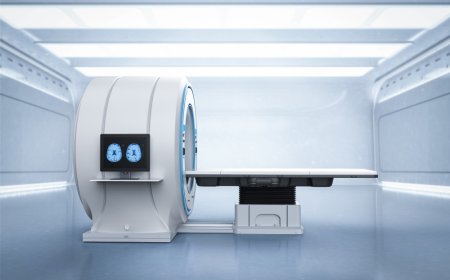
Guide students in interpreting X-ray images to identify abnormalities, fractures, and conditions using XR-based tools for detailed analysis.

Renewable Energy Systems (Solar, Wind, and Battery Storage)

The Electromagnetics and Wave Propagation module offers virtual simulations of renewable energy systems, including solar power, wind turbines, and battery storage. Through interactive exercises, students analyze energy conversion efficiency, system design, and grid integration, gaining a deeper understanding of electromagnetic interactions and wave propagation in renewable energy technologies.

Kinematics and Dynamics of Machines

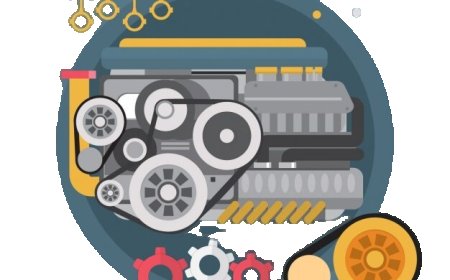
Train students in analyzing the motion and dynamics of mechanical systems and linkages using immersive XR simulations. Students will interact with virtual models of mechanisms such as gears, cams, pulleys, and crankshafts to observe and study their movement. The simulation offers interactive lessons on calculating velocities, accelerations, forces, and torques within mechanical linkages, with real-time feedback. The system will help students understand how to evaluate and optimize the efficiency of machines, force transmission, and performance.

LMS Integration

imaginX seamlessly integrates with leading LMS (Learning Management Systems), enabling educators to track student performance and allowing students to maintain their work records. It is compatible with popular platforms such as Canvas, Blackboard, Moodle, Google Classroom, Schoology, Sakai, Brightspace/D2L, and can also be used independently of an LMS.

Platform Features

Unlimited users faculty & students
Simulations
Simulations
Pedagogy Experts
Pedagogy Experts
Gamification
Gamification
Multiplayer
Multiplayer
Networking
Networking
Assignments
Assignments
Auto Grading
Auto Grading
AI
AI
LMS Integartion
LMS Integartion
Go Back Top