imaginX is used by many amazing schools and universities

University / College

Learning Objectives

At the end of this simulation, you will be able to:
  • Identify and describe the operation of different electrical machines: induction, synchronous, DC, and stepper motors, and generators.
  • Operate and test virtual models of motors and generators, analyzing performance characteristics and operational behavior.
  • Understand and apply control methods such as Variable Frequency Drives (VFDs) and soft starters for motor speed and torque control.
  • Analyze torque-speed curves and determine the relationship between motor performance, efficiency, and load conditions.
  • Apply techniques to improve system efficiency by analyzing and implementing power factor correction strategies.

How do virtual labs work?

Enhance students' involvement in science by immersing them in interactive learning scenarios. Create simulations for experiments, provide hands-on training in laboratory techniques, and convey theoretical concepts through captivating visual experiences to improve their overall long-term learning outcomes.

  • Access web-based simulations that are compatible with laptops, Chromebooks, tablets, and iPads, eliminating the need for software installation.
  • Incorporate a teacher dashboard for automated grading and monitoring of student progress.
  • Utilize embedded quizzes to assist students in mastering scientific content.
  • Comprehensive repository of educational materials, including learning resources, lab reports, videos, theory pages, graphics, and more.

Relevant Course Packages All Course Packages

Semiconductor Device Testing and Quality Control

Master semiconductor device testing and quality control through interactive XR simulations. Explore virtual testing stations to perform electrical assessments, troubleshoot defective devices, and optimize performance, ensuring adherence to strict manufacturing and quality standards.

X-ray Equipment Operation Simulation

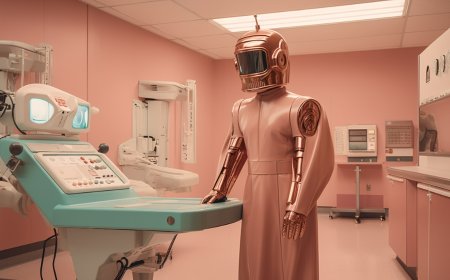
Immerse students in the operation of radiographic equipment, teaching them how to position machines, adjust settings, and capture accurate X-ray images using XR simulations.

Structural Welding and Pipe Welding Simulations

The Structural Welding and Pipe Welding Simulations utilize XR to immerse users in realistic scenarios for welding structural components and pipes, emphasizing construction and industrial techniques.

Tool Grinding and Sharpening

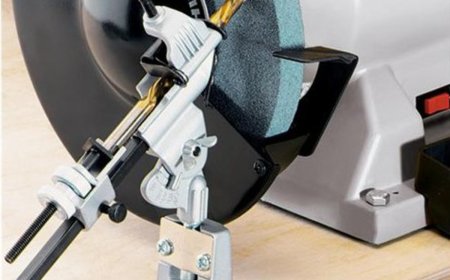
Explore the fundamentals of tool grinding and sharpening to optimize cutting tools for improved performance. This simulation features virtual grinding machines where users can sharpen various tools, including drill bits, lathe cutting tools, and milling cutters. Learn proper tool geometry, cutting angles, and sharpening techniques tailored to each tool type. Receive real-time feedback on tool sharpness, cutting efficiency, and proper selection of grinding wheels, ensuring tools are maintained to perform at their best.

Machine Maintenance and Troubleshooting

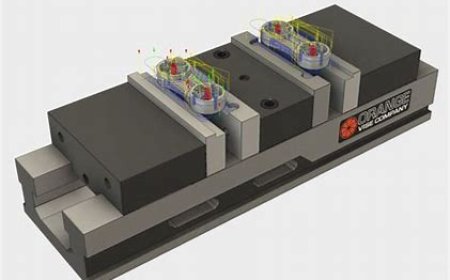
Engage in XR-driven simulations for machine maintenance, lubrication, and troubleshooting. Students will virtually perform preventive maintenance tasks such as oiling, cleaning, and inspecting machines for wear. Interactive scenarios will guide them through diagnosing and resolving common machining issues like chatter, tool breakage, misalignment, and poor surface finish. Real-time feedback on maintenance quality, machine performance, and troubleshooting accuracy helps refine their skills in maintaining and optimizing machine functionality.

Weld Defect Identification and Correction

The Weld Defect Identification and Correction simulation leverages XR technology to train participants in recognizing and addressing common welding defects, ensuring superior weld quality. Through interactive scenarios and real-time feedback, users refine their skills in diagnosing and rectifying flaws.

LMS Integration

imaginX seamlessly integrates with leading LMS (Learning Management Systems), enabling educators to track student performance and allowing students to maintain their work records. It is compatible with popular platforms such as Canvas, Blackboard, Moodle, Google Classroom, Schoology, Sakai, Brightspace/D2L, and can also be used independently of an LMS.

Platform Features

Unlimited users faculty & students
Simulations
Simulations
Pedagogy Experts
Pedagogy Experts
Gamification
Gamification
Multiplayer
Multiplayer
Networking
Networking
Assignments
Assignments
Auto Grading
Auto Grading
AI
AI
LMS Integartion
LMS Integartion
Go Back Top