imaginX is used by many amazing schools and universities

University / College
Learning Objectives

At the end of this simulation, you will be able to:
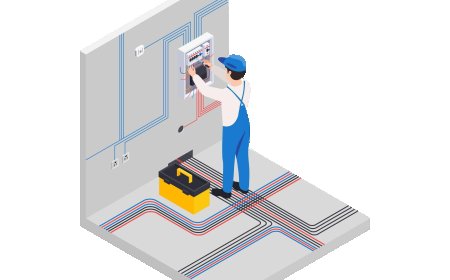
  • Understand the principles of electrical panel and breaker installation in various settings (residential, commercial, industrial).
  • Design and simulate the installation of electrical panels and breakers, ensuring proper load distribution.
  • Gain hands-on experience in selecting and wiring breakers according to system requirements and safety standards.
  • Apply safety protocols and industry standards when installing electrical panels and breakers.
  • Receive feedback on the functionality, safety measures, and code compliance of electrical panel installations.

How do virtual labs work?

Enhance students' involvement in science by immersing them in interactive learning scenarios. Create simulations for experiments, provide hands-on training in laboratory techniques, and convey theoretical concepts through captivating visual experiences to improve their overall long-term learning outcomes.

  • Access web-based simulations that are compatible with laptops, Chromebooks, tablets, and iPads, eliminating the need for software installation.
  • Incorporate a teacher dashboard for automated grading and monitoring of student progress.
  • Utilize embedded quizzes to assist students in mastering scientific content.
  • Comprehensive repository of educational materials, including learning resources, lab reports, videos, theory pages, graphics, and more.

Relevant Course Packages All Course Packages

Transmission Systems and Gearbox Design

This module focuses on automotive transmission systems, including manual, automatic, and CVTs. It provides students with a hands-on approach to understanding the design and functionality of various transmission components such as gears, clutches, and differentials. Through virtual simulations, students will learn about gear ratio calculations, shifting mechanisms, and the optimization of power transmission in vehicles.

Human Factors and Ergonomics in Aerospace Design

Explore human factors engineering in aerospace design with XR simulations, focusing on improving cockpit layouts, pilot comfort, and crew safety. Students can design ergonomic cockpits, control panels, and crew seating arrangements while addressing the challenges of pilot workload reduction and enhancing the user interface. Interactive lessons provide valuable insights into optimizing design for both efficiency and safety, especially during emergency procedures. Real-time feedback on ergonomic efficiency, human-machine interaction, and compliance with safety regulations ensures students can apply best practices in their designs.

Radiographic Image Interpretation

Guide students in interpreting X-ray images to identify abnormalities, fractures, and conditions using XR-based tools for detailed analysis.

Pavement Design and Analysis (XR)

Explore the principles of designing durable and efficient pavements for roads, highways, and airfields. Students can engage in virtual scenarios to design flexible and rigid pavement layers, select materials, and analyze the effects of traffic loads. Interactive tools guide them in determining pavement thickness, stress distribution, and conducting life cycle analyses. Feedback emphasizes durability, cost optimization, and long-term maintenance strategies.

Power Systems and Distribution Networks

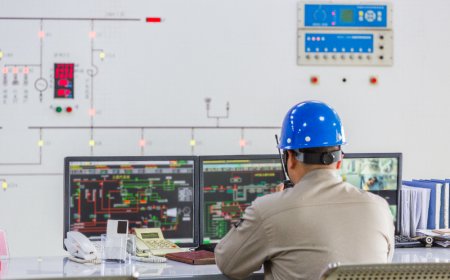
The Power Systems and Distribution Networks module immerses students in virtual environments where they explore the design, operation, and analysis of electrical power grids. Through simulations and interactive tutorials, students learn to manage generators, transformers, transmission lines, and load centers, while optimizing system performance, detecting faults, and ensuring efficient energy distribution.

Earthquake Engineering and Seismic Analysis

Explore the principles of designing earthquake-resistant structures to mitigate seismic damage. Students can simulate seismic activities and observe their effects on various infrastructures, gaining practical insights into structural behavior. Interactive lessons focus on implementing base isolation, dampers, and reinforced materials to enhance structural resilience. Feedback provides guidance on safety compliance, performance optimization, and effective design techniques for seismic resistance.

LMS Integration

imaginX seamlessly integrates with leading LMS (Learning Management Systems), enabling educators to track student performance and allowing students to maintain their work records. It is compatible with popular platforms such as Canvas, Blackboard, Moodle, Google Classroom, Schoology, Sakai, Brightspace/D2L, and can also be used independently of an LMS.

Platform Features

Unlimited users faculty & students
Simulations
Simulations
Pedagogy Experts
Pedagogy Experts
Gamification
Gamification
Multiplayer
Multiplayer
Networking
Networking
Assignments
Assignments
Auto Grading
Auto Grading
AI
AI
LMS Integartion
LMS Integartion
Go Back Top