imaginX is used by many amazing schools and universities

University / College
Learning Objectives

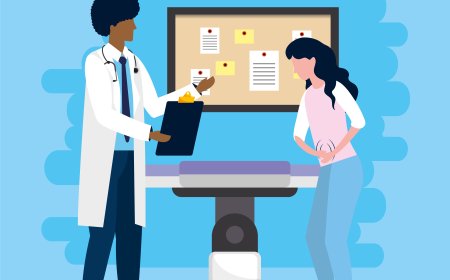
At the end of this simulation, you will be able to:
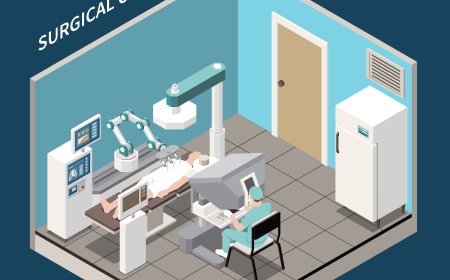
  • Demonstrate appropriate actions in scenarios such as cardiac arrest, anaphylactic shock, trauma, and respiratory distress.
  • Apply CPR techniques, use defibrillators, administer emergency medications, and manage airways effectively.
  • Develop critical thinking and decision-making skills under time-sensitive and high-pressure situations.
  • Follow established guidelines and protocols to ensure compliance with clinical and safety standards during emergencies.
  • Work collaboratively in simulated team-based scenarios to ensure effective communication and coordination among healthcare professionals.

How do virtual labs work?

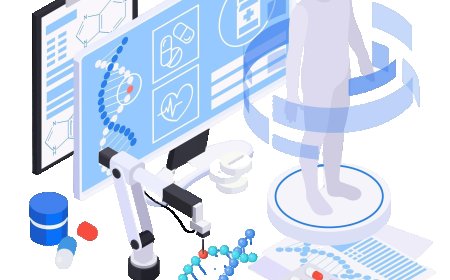
Enhance students' involvement in science by immersing them in interactive learning scenarios. Create simulations for experiments, provide hands-on training in laboratory techniques, and convey theoretical concepts through captivating visual experiences to improve their overall long-term learning outcomes.

  • Access web-based simulations that are compatible with laptops, Chromebooks, tablets, and iPads, eliminating the need for software installation.
  • Incorporate a teacher dashboard for automated grading and monitoring of student progress.
  • Utilize embedded quizzes to assist students in mastering scientific content.
  • Comprehensive repository of educational materials, including learning resources, lab reports, videos, theory pages, graphics, and more.

Relevant Course Packages All Course Packages

Building Information Modeling (BIM)

Enhance understanding of BIM technology for planning, designing, and managing construction projects. Students can explore virtual environments to create 3D models of buildings and infrastructure, visualize construction phases, and estimate costs. Interactive tools enable the identification of design clashes and foster improved coordination across project stages. Feedback ensures precision in design, cost-effectiveness, and construction feasibility.

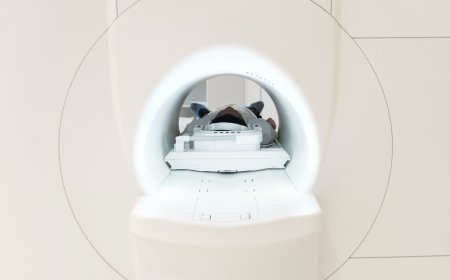
Computed Tomography (CT) Simulation

Train students on the operation of CT scanners, patient positioning, and the interpretation of generated images, enhanced with XR-based simulations for hands-on learning.

Woodworking Techniques and Joinery

The Woodworking Techniques and Joinery Simulation provides hands-on experience in various woodworking techniques and joinery methods used in carpentry projects. Virtual practice includes joinery techniques such as dovetail joints, mortise and tenon joints, lap joints, and miter joints. Interactive lessons guide students through cutting, sanding, and assembling wooden pieces with precision. Real-time feedback is provided on craftsmanship, joint strength, and finishing techniques.

Troubleshooting HVAC Systems

The Troubleshooting HVAC Systems Simulation teaches users how to troubleshoot common HVAC problems such as system malfunctions, low refrigerant, faulty components, and poor airflow. The simulation includes virtual diagnostic tools like multimeters, pressure gauges, and thermometers to test system components. Interactive fault scenarios guide students in diagnosing and repairing issues such as refrigerant leaks, compressor failures, and blocked filters. Real-time feedback is provided on problem diagnosis, repair accuracy, and system recovery.

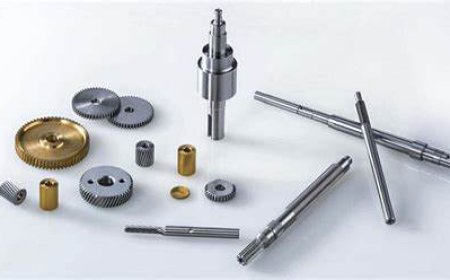
Doping Process Simulation

Experience the doping process in semiconductor fabrication through immersive XR simulations. Learn how impurities alter electrical properties by working with virtual tools to control ion implantation, diffusion, and annealing, ensuring precise adjustments to material characteristics.

Trim Work and Finish Carpentry

The Trim Work and Finish Carpentry Simulation trains students in advanced woodworking techniques such as installing trim, baseboards, crown molding, and other intricate details commonly used in carpentry finishing. Virtual scenarios allow students to practice cutting, fitting, and installing trim and moldings around windows, doors, and walls. The simulation includes tutorials on how to miter corners, join pieces, and securely attach trim using nails or adhesives.

LMS Integration

imaginX seamlessly integrates with leading LMS (Learning Management Systems), enabling educators to track student performance and allowing students to maintain their work records. It is compatible with popular platforms such as Canvas, Blackboard, Moodle, Google Classroom, Schoology, Sakai, Brightspace/D2L, and can also be used independently of an LMS.

Platform Features

Unlimited users faculty & students
Simulations
Simulations
Pedagogy Experts
Pedagogy Experts
Gamification
Gamification
Multiplayer
Multiplayer
Networking
Networking
Assignments
Assignments
Auto Grading
Auto Grading
AI
AI
LMS Integartion
LMS Integartion
Go Back Top