imaginX is used by many amazing schools and universities

University / College

Learning Objectives

At the end of this simulation, you will be able to:
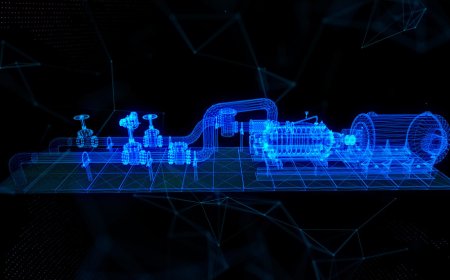
  • Understand the types of valves (ball, gate, globe, etc.) and their specific functions in different systems.
  • Learn the proper techniques for manually or mechanically opening and closing valves, ensuring correct positioning.
  • Gain experience in recognizing and preventing common valve malfunctions such as leakage, wear, or improper sealing.
  • Explore safety procedures and protective measures for working around pressurized systems during valve operations.
  • Develop troubleshooting skills for valve-related issues, such as stuck valves or improper flow regulation.

How do virtual labs work?

Enhance students' involvement in science by immersing them in interactive learning scenarios. Create simulations for experiments, provide hands-on training in laboratory techniques, and convey theoretical concepts through captivating visual experiences to improve their overall long-term learning outcomes.

  • Access web-based simulations that are compatible with laptops, Chromebooks, tablets, and iPads, eliminating the need for software installation.
  • Incorporate a teacher dashboard for automated grading and monitoring of student progress.
  • Utilize embedded quizzes to assist students in mastering scientific content.
  • Comprehensive repository of educational materials, including learning resources, lab reports, videos, theory pages, graphics, and more.

Relevant Course Packages All Course Packages

Human-Machine Interface (HMI) Design

Equip students with the skills to design and program Human-Machine Interface (HMI) systems for industrial automation. Through virtual simulations, students will create HMI dashboards to monitor and control machinery, systems, and processes. They will interact with various machine parameters, such as system start-up, shutdown, and emergency stop functions, while receiving feedback on user interface design, system responsiveness, and ease of use.

Thermodynamics and Heat Transfer in Aerospace Systems

Explore the principles of thermal management in aerospace systems, focusing on efficient heat dissipation and insulation techniques for engines, fuselages, and spacecraft thermal control systems. Through virtual simulations, students will study the heat transfer processes including conduction, convection, and radiation, and apply them to real-world aerospace environments. Engage in interactive lessons to optimize thermal performance and ensure energy efficiency while preventing component overheating.

Fluid Dynamics and Computational Fluid Dynamics (CFD)

Enhance your understanding of fluid dynamics principles and their application in engineering systems through XR-powered simulations.

Doping Process Simulation

Experience the doping process in semiconductor fabrication through immersive XR simulations. Learn how impurities alter electrical properties by working with virtual tools to control ion implantation, diffusion, and annealing, ensuring precise adjustments to material characteristics.

Surveying and Geographic Information Systems (GIS)

Gain practical insights into land surveying and the application of GIS technology in civil engineering projects. Virtual scenarios let students operate surveying instruments like total stations, theodolites, and GPS receivers to collect precise data. Interactive tools allow for the creation of topographic maps, contour lines, and spatial data analysis using GIS software. Feedback focuses on improving surveying precision, interpreting data accurately, and mastering mapping techniques.

Material Science for Aerospace Applications

Explore the properties and applications of materials used in aerospace structures, focusing on composites, alloys, and advanced polymers. Engage in virtual labs to test materials for key properties like tensile strength, fatigue resistance, corrosion resistance, and thermal performance. Simulate material selection for aerospace components based on weight, durability, and cost considerations, and receive feedback on material performance, safety factors, and compliance with aerospace standards.

LMS Integration

imaginX seamlessly integrates with leading LMS (Learning Management Systems), enabling educators to track student performance and allowing students to maintain their work records. It is compatible with popular platforms such as Canvas, Blackboard, Moodle, Google Classroom, Schoology, Sakai, Brightspace/D2L, and can also be used independently of an LMS.

Platform Features

Unlimited users faculty & students
Simulations
Simulations
Pedagogy Experts
Pedagogy Experts
Gamification
Gamification
Multiplayer
Multiplayer
Networking
Networking
Assignments
Assignments
Auto Grading
Auto Grading
AI
AI
LMS Integartion
LMS Integartion
Go Back Top