imaginX is used by many amazing schools and universities

University / College
Learning Objectives

At the end of this simulation, you will be able to:
  • Analyze crack propagation, stress concentrations, and fatigue loading in aerospace components.
  • Predict failure points and determine material fatigue limits under varying operational conditions.
  • Learn how to implement design improvements for enhanced durability and longevity of aerospace parts.
  • Understand safety standards and risk assessment protocols for aerospace components.
  • Receive feedback on optimizing design to reduce the risk of failure and increase component safety in aerospace systems.

How do virtual labs work?

Enhance students' involvement in science by immersing them in interactive learning scenarios. Create simulations for experiments, provide hands-on training in laboratory techniques, and convey theoretical concepts through captivating visual experiences to improve their overall long-term learning outcomes.

  • Access web-based simulations that are compatible with laptops, Chromebooks, tablets, and iPads, eliminating the need for software installation.
  • Incorporate a teacher dashboard for automated grading and monitoring of student progress.
  • Utilize embedded quizzes to assist students in mastering scientific content.
  • Comprehensive repository of educational materials, including learning resources, lab reports, videos, theory pages, graphics, and more.

Relevant Course Packages All Course Packages

Cardiac Arrest and Advanced Life Support (ALS)

Prepare students for cardiac emergencies using Advanced Life Support (ALS) techniques through immersive XR simulations. Students will practice performing CPR, defibrillation, airway management, and administering emergency medications while learning to recognize and respond to various heart rhythms.

Etching and Deposition Techniques

Gain practical experience in etching and deposition, essential steps in semiconductor fabrication, through immersive XR simulations. Explore virtual labs that simulate dry and wet etching, along with deposition methods like CVD and PVD, with interactive controls and real-time feedback.

Hybrid and Alternative Fuel Technologies

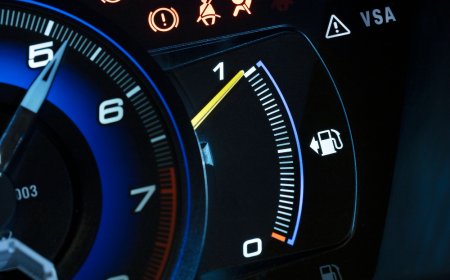
Hybrid and Alternative Fuel Technologies provides an in-depth exploration of hybrid vehicle systems and alternative fuel technologies, including hydrogen, compressed natural gas (CNG), and biofuels. Through XR-based simulations, students will study the operation and integration of hybrid powertrains, energy storage systems, and alternative fuel tanks. The course emphasizes designing fuel-efficient vehicles using alternative energy sources to reduce carbon emissions.

Chiller System Installation and Maintenance

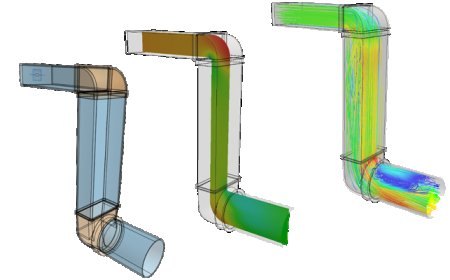
The Chiller System Installation and Maintenance Simulation trains students on the installation, maintenance, and troubleshooting of chiller systems used in commercial buildings for large-scale cooling applications. Students will practice virtually installing air-cooled and water-cooled chiller systems, connecting them to cooling towers and air handlers. Maintenance tasks include cleaning chiller tubes, monitoring refrigerant levels, and inspecting compressors. Troubleshooting scenarios will focus on issues like reduced cooling capacity, refrigerant leaks, and mechanical failures. Real-time feedback will be provided on system performance, energy consumption, and efficiency optimization.

Finite Element Analysis (FEA) Simulation

Train students to perform stress, strain, and deformation analysis on mechanical components using Finite Element Analysis (FEA) through immersive XR simulations. The virtual environment allows students to apply loads, constraints, and boundary conditions to 3D models of mechanical components, providing interactive lessons on stress distribution, thermal effects, vibration analysis, and material failure points. Feedback is provided on the structural integrity, safety factors, and optimization of mechanical designs to improve understanding and decision-making in engineering design processes.

Propulsion Systems and Engine Design

Immerse yourself in the world of propulsion systems with an in-depth exploration of jet engines, rockets, and electric propulsion systems. Through virtual labs, gain hands-on experience in analyzing key engine components, including compressors, turbines, combustion chambers, and nozzles. Engage with interactive simulations that simulate fuel efficiency, thrust generation, and thermal management in propulsion systems, while optimizing engine performance for various operational conditions.

LMS Integration

imaginX seamlessly integrates with leading LMS (Learning Management Systems), enabling educators to track student performance and allowing students to maintain their work records. It is compatible with popular platforms such as Canvas, Blackboard, Moodle, Google Classroom, Schoology, Sakai, Brightspace/D2L, and can also be used independently of an LMS.

Platform Features

Unlimited users faculty & students
Simulations
Simulations
Pedagogy Experts
Pedagogy Experts
Gamification
Gamification
Multiplayer
Multiplayer
Networking
Networking
Assignments
Assignments
Auto Grading
Auto Grading
AI
AI
LMS Integartion
LMS Integartion
Go Back Top