imaginX is used by many amazing schools and universities

University / College

Learning Objectives

At the end of this simulation, you will be able to:
  • Explore the components and operation of pipe hydrants, including valves, nozzles, and drain systems.
  • Enhance troubleshooting skills by identifying common issues such as leaks, corrosion, and pressure drops.
  • Engage with XR simulations to practice proper maintenance procedures, including valve operation, lubrication, and testing.
  • Improve knowledge of safety protocols for working with pressurized systems and hydrant equipment.
  • Analyze the performance of hydrant systems and optimize repair techniques for efficiency and longevity.

How do virtual labs work?

Enhance students' involvement in science by immersing them in interactive learning scenarios. Create simulations for experiments, provide hands-on training in laboratory techniques, and convey theoretical concepts through captivating visual experiences to improve their overall long-term learning outcomes.

  • Access web-based simulations that are compatible with laptops, Chromebooks, tablets, and iPads, eliminating the need for software installation.
  • Incorporate a teacher dashboard for automated grading and monitoring of student progress.
  • Utilize embedded quizzes to assist students in mastering scientific content.
  • Comprehensive repository of educational materials, including learning resources, lab reports, videos, theory pages, graphics, and more.

Relevant Course Packages All Course Packages

Electrical Safety and Lockout/Tagout (LOTO) Simulation

Learn electrical safety protocols, focusing on Lockout/Tagout (LOTO) procedures to prevent accidental energizing of equipment during maintenance or repairs. Through virtual simulations, students will practice securing electrical circuits using LOTO procedures and identify potential hazards such as electrocution, arc flash, and fire. Real-time feedback will be provided on safety practices, risk assessment, and adherence to OSHA regulations.

Human Anatomy and Physiology Simulation

Provide an in-depth understanding of human anatomy and physiology with a focus on systems relevant to biomedical applications. Using immersive XR technology, students can explore and interact with virtual 3D models of the human body, gaining insights into organ systems, tissues, and cells and their implications for medical device design.

Manufacturing Processes and Assembly Techniques

Gain insights into automotive manufacturing methods, including assembly, welding, and quality control, with a focus on automation and lean principles through XR-based simulations.

Woodworking Techniques and Joinery

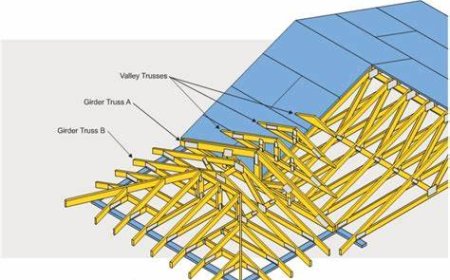
The Woodworking Techniques and Joinery Simulation provides hands-on experience in various woodworking techniques and joinery methods used in carpentry projects. Virtual practice includes joinery techniques such as dovetail joints, mortise and tenon joints, lap joints, and miter joints. Interactive lessons guide students through cutting, sanding, and assembling wooden pieces with precision. Real-time feedback is provided on craftsmanship, joint strength, and finishing techniques.

Hydronic Heating Systems

The Hydronic Heating Systems Simulation trains students on hydronic heating systems, which use water to distribute heat throughout a building. Students can practice virtually installing and troubleshooting systems that include boilers, radiators, and piping systems. Interactive exercises focus on adjusting water flow rates, pressure settings, and temperature control for radiant heating. Real-time feedback is provided on system balance, heat distribution, and energy efficiency.

Robotics and Automation Simulation

Robotics and Automation Simulation course allows students to explore the principles of robotics and automation in industrial settings. Through interactive XR simulations, students can program robotic arms, manipulators, and other equipment to perform tasks such as welding, assembly, and material handling. Real-time feedback on performance, efficiency, and safety ensures a hands-on, engaging learning experience, preparing students for real-world automation challenges.

LMS Integration

imaginX seamlessly integrates with leading LMS (Learning Management Systems), enabling educators to track student performance and allowing students to maintain their work records. It is compatible with popular platforms such as Canvas, Blackboard, Moodle, Google Classroom, Schoology, Sakai, Brightspace/D2L, and can also be used independently of an LMS.

Platform Features

Unlimited users faculty & students
Simulations
Simulations
Pedagogy Experts
Pedagogy Experts
Gamification
Gamification
Multiplayer
Multiplayer
Networking
Networking
Assignments
Assignments
Auto Grading
Auto Grading
AI
AI
LMS Integartion
LMS Integartion
Go Back Top