imaginX is used by many amazing schools and universities

University / College
Learning Objectives

At the end of this simulation, you will be able to:
  • Understand the proper procedures for selecting and charging refrigerants in HVAC systems.
  • Learn how to connect service gauges and monitor pressures during refrigerant charging.
  • Gain practical experience in safe refrigerant recovery techniques.
  • Ensure compliance with EPA regulations for refrigerant handling and environmental safety.
  • Develop the ability to troubleshoot refrigerant-related issues in HVAC systems.

How do virtual labs work?

Enhance students' involvement in science by immersing them in interactive learning scenarios. Create simulations for experiments, provide hands-on training in laboratory techniques, and convey theoretical concepts through captivating visual experiences to improve their overall long-term learning outcomes.

  • Access web-based simulations that are compatible with laptops, Chromebooks, tablets, and iPads, eliminating the need for software installation.
  • Incorporate a teacher dashboard for automated grading and monitoring of student progress.
  • Utilize embedded quizzes to assist students in mastering scientific content.
  • Comprehensive repository of educational materials, including learning resources, lab reports, videos, theory pages, graphics, and more.

Relevant Course Packages All Course Packages

Heat Pump Installation and Troubleshooting

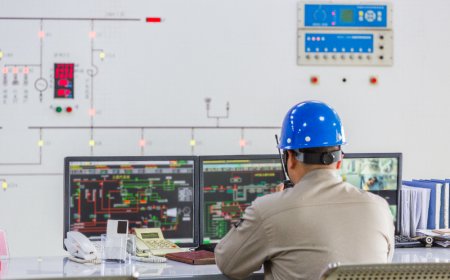
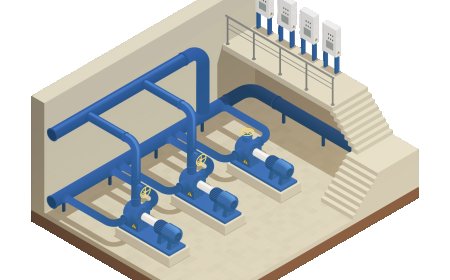
The Heat Pump Installation and Troubleshooting Simulation trains students on the installation, operation, and troubleshooting of heat pumps in both heating and cooling modes. The simulation includes virtual scenarios for installing air-source and geothermal heat pumps, covering refrigerant line connections, electrical wiring, and thermostat setup. Students practice operating heat pumps, switching between heating and cooling modes, and troubleshooting issues such as defrost cycle problems, refrigerant flow issues, and reversing valve malfunctions. Real-time feedback is provided on system performance, heat transfer efficiency, and troubleshooting accuracy.

Cabinetry and Shelving Construction

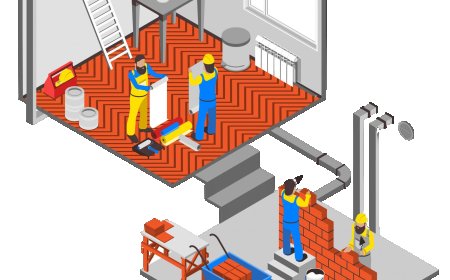
The Cabinetry and Shelving Construction Simulation provides training in building and installing cabinetry, shelves, and storage systems for kitchens, bathrooms, and living spaces. Students engage in virtual scenarios where they design, cut, assemble, and install cabinets, drawers, and shelves. The simulation includes interactive tutorials on creating custom cabinetry using various joinery techniques, selecting and installing hinges and hardware, and ensuring overall functionality. XR (Extended Reality) integration adds an immersive experience, allowing students to visualize and interact with 3D models of their projects in real-time.

Disaster Preparedness and Mass Casualty Incident (MCI) Management

Immerse students in disaster preparedness and mass casualty incident (MCI) management through XR simulations. Students will explore virtual disaster scenarios, including natural disasters, chemical spills, and terrorist attacks, while practicing triage, resource allocation, and coordination with emergency services.

Fluoroscopy Simulation

Educate students on the use of fluoroscopy for dynamic imaging of moving structures in the body, with XR-based simulations for real-time procedure practice.

Avionics and Control Systems

Explore the design and implementation of avionics systems used in modern aircraft, focusing on navigation, communication, and flight control. Engage in virtual scenarios to configure complex avionics systems such as autopilot, inertial navigation systems (INS), and radar. Through interactive lessons, integrate sensors, gyroscopes, accelerometers, and other electronic components for precise control. Receive feedback on avionics system accuracy, reliability, and the analysis of flight data in real-time.

Microcontroller and Embedded Systems Programming

The Microcontroller and Embedded Systems module provides virtual environments (e.g., Arduino, Raspberry Pi) where students can design, simulate, and test embedded systems. Through interactive exercises, students learn to interface sensors, actuators, and communication modules, while writing and debugging code to control devices effectively.

LMS Integration

imaginX seamlessly integrates with leading LMS (Learning Management Systems), enabling educators to track student performance and allowing students to maintain their work records. It is compatible with popular platforms such as Canvas, Blackboard, Moodle, Google Classroom, Schoology, Sakai, Brightspace/D2L, and can also be used independently of an LMS.

Platform Features

Unlimited users faculty & students
Simulations
Simulations
Pedagogy Experts
Pedagogy Experts
Gamification
Gamification
Multiplayer
Multiplayer
Networking
Networking
Assignments
Assignments
Auto Grading
Auto Grading
AI
AI
LMS Integartion
LMS Integartion
Go Back Top