imaginX is used by many amazing schools and universities

University / College
Learning Objectives

At the end of this simulation, you will be able to:
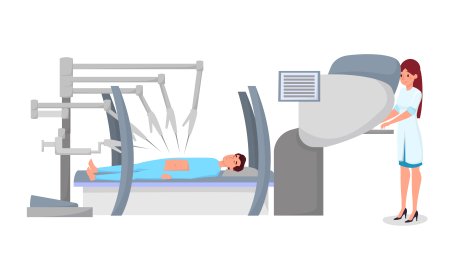
  • Gain hands-on experience in assisting diverse surgical procedures, including appendectomies, C-sections, and orthopedic surgeries.
  • Master the timing and accuracy of passing instruments and managing surgical tools.
  • Develop situational awareness for dynamic surgical environments.
  • Learn effective management of suction devices and tissue retraction techniques.
  • Enhance understanding of procedural flow and real-time collaboration with surgeons.

How do virtual labs work?

Enhance students' involvement in science by immersing them in interactive learning scenarios. Create simulations for experiments, provide hands-on training in laboratory techniques, and convey theoretical concepts through captivating visual experiences to improve their overall long-term learning outcomes.

  • Access web-based simulations that are compatible with laptops, Chromebooks, tablets, and iPads, eliminating the need for software installation.
  • Incorporate a teacher dashboard for automated grading and monitoring of student progress.
  • Utilize embedded quizzes to assist students in mastering scientific content.
  • Comprehensive repository of educational materials, including learning resources, lab reports, videos, theory pages, graphics, and more.

Relevant Course Packages All Course Packages

Robotics and Mechatronics Integration

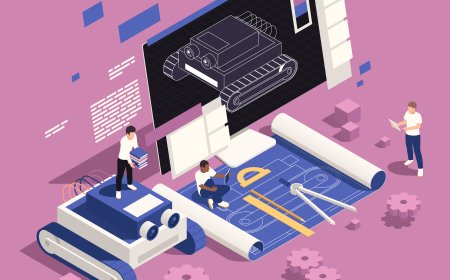
Provide students with hands-on experience in designing, programming, and integrating robotic systems with mechanical components through immersive XR simulations. Students will work with virtual robotic arms and mechatronic systems, programming movements, adjusting sensors, and controlling actuators. The simulation includes interactive scenarios for integrating mechanical and electronic systems using sensors, motors, and control logic. Students will receive real-time feedback on robotic precision, response time, and the overall performance of the integrated systems.

Building Information Modeling (BIM)

Enhance understanding of BIM technology for planning, designing, and managing construction projects. Students can explore virtual environments to create 3D models of buildings and infrastructure, visualize construction phases, and estimate costs. Interactive tools enable the identification of design clashes and foster improved coordination across project stages. Feedback ensures precision in design, cost-effectiveness, and construction feasibility.

Fluid Mechanics and Computational Fluid Dynamics (CFD)

Teach students the principles of fluid dynamics through immersive XR simulations and hands-on practice with Computational Fluid Dynamics (CFD). Virtual scenarios allow students to simulate fluid flow in pipes, pumps, valves, and aerodynamic surfaces, offering a deep dive into the behavior of fluids in different environments. Students will use interactive tools to set up boundary conditions, generate meshes, and analyze flow patterns using CFD software. Real-time feedback focuses on improving flow efficiency, managing pressure drop, understanding turbulence, and optimizing design solutions.

Water Supply System Design and Installation

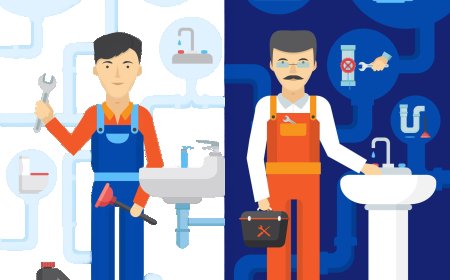
Learn to design and install water supply systems that provide clean water to buildings. This simulation offers virtual practice in designing and installing cold and hot water supply lines, selecting appropriate pipe materials like copper, PEX, or galvanized steel. It also includes connecting supply lines to fixtures, appliances, and water heaters. Real-time feedback is provided on water pressure, flow rates, and system performance.

Aircraft Electrical Systems Maintenance

Explore XR-based training for aircraft electrical systems maintenance, focusing on wiring, circuits, batteries, generators, and power distribution. Students will interact with virtual electrical components, reading wiring diagrams, measuring electrical loads, and diagnosing faults such as short circuits and open circuits. Real-time feedback enhances diagnostic accuracy and reinforces electrical safety practices.

Hydronic Heating Systems

The Hydronic Heating Systems Simulation trains students on hydronic heating systems, which use water to distribute heat throughout a building. Students can practice virtually installing and troubleshooting systems that include boilers, radiators, and piping systems. Interactive exercises focus on adjusting water flow rates, pressure settings, and temperature control for radiant heating. Real-time feedback is provided on system balance, heat distribution, and energy efficiency.

LMS Integration

imaginX seamlessly integrates with leading LMS (Learning Management Systems), enabling educators to track student performance and allowing students to maintain their work records. It is compatible with popular platforms such as Canvas, Blackboard, Moodle, Google Classroom, Schoology, Sakai, Brightspace/D2L, and can also be used independently of an LMS.

Platform Features

Unlimited users faculty & students
Simulations
Simulations
Pedagogy Experts
Pedagogy Experts
Gamification
Gamification
Multiplayer
Multiplayer
Networking
Networking
Assignments
Assignments
Auto Grading
Auto Grading
AI
AI
LMS Integartion
LMS Integartion
Go Back Top