imaginX is used by many amazing schools and universities

University / College
Learning Objectives

At the end of this simulation, you will be able to:
  • Understand the principles of sustainable mechatronics design, emphasizing energy efficiency and resource management.
  • Analyze energy consumption across various mechatronic systems and processes through virtual simulations.
  • Optimize systems for energy efficiency, reduce waste, and enhance sustainability through interactive scenarios.
  • Assess the environmental impact of design choices, focusing on minimizing energy usage and maximizing cost savings.
  • Receive feedback on design decisions to improve energy efficiency and promote environmentally responsible mechatronic solutions.

How do virtual labs work?

Enhance students' involvement in science by immersing them in interactive learning scenarios. Create simulations for experiments, provide hands-on training in laboratory techniques, and convey theoretical concepts through captivating visual experiences to improve their overall long-term learning outcomes.

  • Access web-based simulations that are compatible with laptops, Chromebooks, tablets, and iPads, eliminating the need for software installation.
  • Incorporate a teacher dashboard for automated grading and monitoring of student progress.
  • Utilize embedded quizzes to assist students in mastering scientific content.
  • Comprehensive repository of educational materials, including learning resources, lab reports, videos, theory pages, graphics, and more.

Relevant Course Packages All Course Packages →

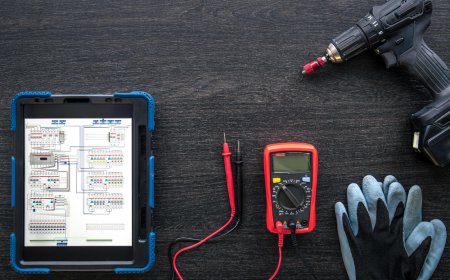
Mechatronic Systems Troubleshooting Simulation

Provide students with XR-based scenarios to diagnose and troubleshoot common issues in mechatronic systems, including electrical, mechanical, and software faults. Using virtual diagnostic tools like multimeters, oscilloscopes, and logic analyzers, students will identify and resolve system faults such as sensor failures, PLC logic errors, and mechanical misalignments. Real-time feedback will help refine troubleshooting approaches and improve problem-solving efficiency in an immersive XR environment.

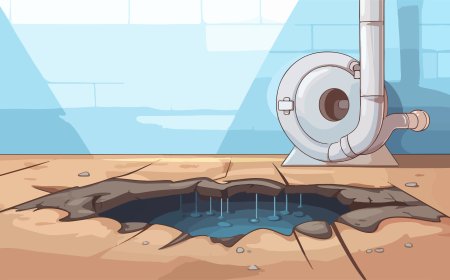
Flooring Installation

The Flooring Installation Simulation teaches students how to install various types of flooring materials, including hardwood, laminate, tile, and carpeting. Virtual scenarios guide students through the process, from measuring and cutting materials to laying and securing floorboards or tiles. Tutorials cover preparing subfloors, aligning seams, and ensuring smooth, even surfaces for the final installation. Real-time feedback is provided on precision cutting, material placement, and proper finishing techniques to ensure a high-quality flooring installation.

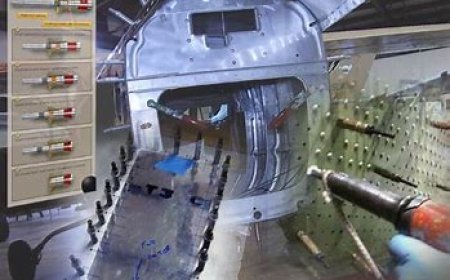
Propeller and Rotor Blade Maintenance

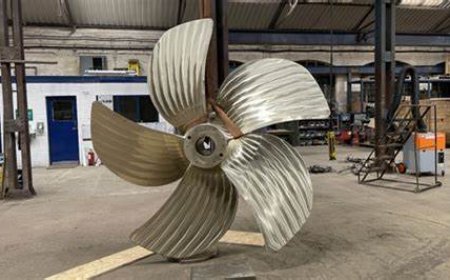
Explore inspection, repair, and balancing techniques for propellers and rotor blades in both fixed-wing and rotary aircraft. Simulate tasks such as aligning blades, detecting damage, adjusting pitch, and applying aerodynamic principles. Receive feedback on balancing precision, repair quality, and power transmission efficiency.

Mental Health and Psychiatric Nursing

The Mental Health and Psychiatric Nursing module provides nursing students with virtual experiences to care for patients with various mental health conditions. Through interactive scenarios and lessons, students practice de-escalation techniques, active listening, and therapeutic interventions while focusing on empathy, communication, and patient-centered care.

Engineering Design and CAD Modeling

Enhance your skills in computer-aided design (CAD) for creating detailed 3D models and engineering blueprints in virtual environments.

Flight Control Systems Calibration and Adjustment

Immerse in an XR-powered environment to master the calibration and adjustment of flight control systems, including ailerons, rudders, elevators, and flaps. Gain hands-on experience in ensuring precision and smooth operation for optimal aircraft control.

LMS Integration

imaginX seamlessly integrates with leading LMS (Learning Management Systems), enabling educators to track student performance and allowing students to maintain their work records. It is compatible with popular platforms such as Canvas, Blackboard, Moodle, Google Classroom, Schoology, Sakai, Brightspace/D2L, and can also be used independently of an LMS.

Platform Features

Unlimited users faculty & students
Simulations
Simulations
Pedagogy Experts
Pedagogy Experts
Gamification
Gamification
Multiplayer
Multiplayer
Networking
Networking
Assignments
Assignments
Auto Grading
Auto Grading
AI
AI
LMS Integartion
LMS Integartion
Go Back Top