imaginX is used by many amazing schools and universities

University / College
Learning Objectives

At the end of this simulation, you will be able to:
  • Recognize the signs and symptoms of poisoning, overdose, and toxic substance exposure.
  • Explore treatment strategies including antidote administration, supportive care, and decontamination procedures.
  • Develop the skills to assess patients and determine the appropriate interventions for various toxicology scenarios.
  • Understand the pharmacological effects of toxins and apply knowledge to enhance patient outcomes.
  • Receive feedback on toxicology knowledge, decision-making, and the effectiveness of treatment interventions.

How do virtual labs work?

Enhance students' involvement in science by immersing them in interactive learning scenarios. Create simulations for experiments, provide hands-on training in laboratory techniques, and convey theoretical concepts through captivating visual experiences to improve their overall long-term learning outcomes.

  • Access web-based simulations that are compatible with laptops, Chromebooks, tablets, and iPads, eliminating the need for software installation.
  • Incorporate a teacher dashboard for automated grading and monitoring of student progress.
  • Utilize embedded quizzes to assist students in mastering scientific content.
  • Comprehensive repository of educational materials, including learning resources, lab reports, videos, theory pages, graphics, and more.

Relevant Course Packages All Course Packages

Siding Installation

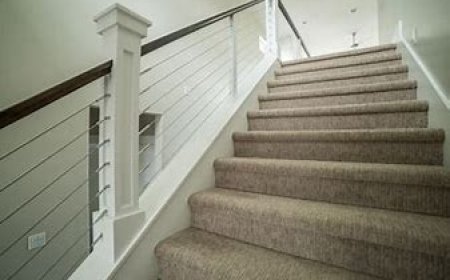
The Siding Installation Simulation teaches students how to install exterior siding materials such as wood, vinyl, fiber cement, or metal. Students engage in virtual practice to measure, cut, and install siding materials on building walls. The simulation includes tutorials on aligning siding panels, securing them to the building frame, and adding trim pieces for a polished look. XR (Extended Reality) integration enhances the learning experience by allowing students to visualize the full-scale siding installation process and interact with 3D models of siding materials in a real-world setting.

Risk Assessment and Disaster Management

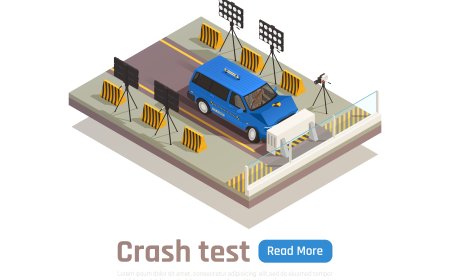
Train students in assessing risks and developing disaster management strategies for civil engineering projects. Engage with virtual scenarios simulating the impact of natural disasters like floods, landslides, and earthquakes on infrastructure. Learn how to create emergency response plans, implement risk mitigation measures, and develop post-disaster recovery strategies. Receive feedback on disaster preparedness, risk management techniques, and building resilience in infrastructure.

Medication Administration and Dosage Calculations

Prepare students for accurate medication administration, focusing on dosage calculations, routes of administration, and preventing medication errors through XR simulations. Students will practice preparing and administering medications via various routes, including IV, IM, and SC, while ensuring precise dosage calculations.

Etching and Deposition Techniques

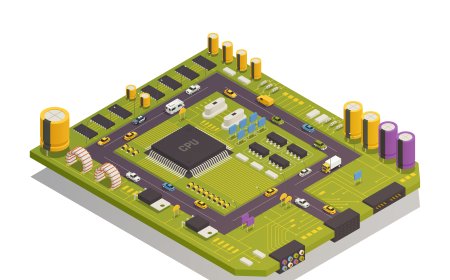
Gain practical experience in etching and deposition, essential steps in semiconductor fabrication, through immersive XR simulations. Explore virtual labs that simulate dry and wet etching, along with deposition methods like CVD and PVD, with interactive controls and real-time feedback.

Soldering and Pipe Joining Simulation

Learn how to properly join pipes using techniques like soldering, brazing, and push-to-connect fittings. This simulation provides virtual practice in soldering copper pipes, selecting appropriate flux and heat sources. It also covers other joining techniques such as compression fittings, solvent welding for PVC, and press fittings for PEX. Feedback is given on joint strength, leakage prevention, and adherence to safety standards.

Aircraft Design and Structural Analysis

Teach students the principles of aircraft design, focusing on aerodynamics, weight distribution, and structural integrity. Explore virtual environments where students can design and analyze key aircraft components such as wings, fuselage, tail, and landing gear. Use interactive tools to perform stress and strain analysis, helping students understand load distribution, material strength, and potential failure points. Receive feedback on design optimization, weight reduction, and ensuring structural stability under various flight conditions.

LMS Integration

imaginX seamlessly integrates with leading LMS (Learning Management Systems), enabling educators to track student performance and allowing students to maintain their work records. It is compatible with popular platforms such as Canvas, Blackboard, Moodle, Google Classroom, Schoology, Sakai, Brightspace/D2L, and can also be used independently of an LMS.

Platform Features

Unlimited users faculty & students
Simulations
Simulations
Pedagogy Experts
Pedagogy Experts
Gamification
Gamification
Multiplayer
Multiplayer
Networking
Networking
Assignments
Assignments
Auto Grading
Auto Grading
AI
AI
LMS Integartion
LMS Integartion
Go Back Top