imaginX is used by many amazing schools and universities

University / College

Learning Objectives

At the end of this simulation, you will be able to:
  • Analyze test outcomes and determine their clinical implications for patient care.
  • Identify abnormal test results and understand their significance in diagnosing medical conditions.
  • Follow best practices for maintaining patient safety and laboratory hygiene during all diagnostic procedures.
  • Prepare, handle, and maintain diagnostic tools and laboratory equipment following standard clinical procedures.
  • Use laboratory test findings to inform clinical decision-making and enhance patient assessment and care planning.

How do virtual labs work?

Enhance students' involvement in science by immersing them in interactive learning scenarios. Create simulations for experiments, provide hands-on training in laboratory techniques, and convey theoretical concepts through captivating visual experiences to improve their overall long-term learning outcomes.

  • Access web-based simulations that are compatible with laptops, Chromebooks, tablets, and iPads, eliminating the need for software installation.
  • Incorporate a teacher dashboard for automated grading and monitoring of student progress.
  • Utilize embedded quizzes to assist students in mastering scientific content.
  • Comprehensive repository of educational materials, including learning resources, lab reports, videos, theory pages, graphics, and more.

Relevant Course Packages All Course Packages

Failure Mode and Effects Analysis (FMEA) Simulation

Gain expertise in Failure Mode and Effects Analysis (FMEA) through immersive XR simulations. Learn to systematically identify, assess, and mitigate potential failure points in semiconductor manufacturing processes to enhance reliability and quality.

Renewable Energy Systems (Solar & Wind)

Learn how to install and maintain renewable energy systems, including solar photovoltaic (PV) systems and wind turbines. Through virtual simulations, students will install solar panels, inverters, and battery systems in both residential and commercial settings. They will also practice wiring wind turbines and integrating them with grid systems or off-grid installations. Real-time feedback will be provided on energy generation efficiency, grid tie-in, and troubleshooting renewable energy systems.

Fluid Mechanics and Computational Fluid Dynamics (CFD)

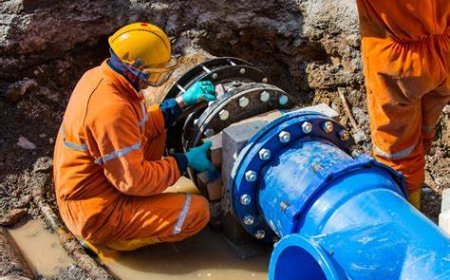
Teach students the principles of fluid dynamics through immersive XR simulations and hands-on practice with Computational Fluid Dynamics (CFD). Virtual scenarios allow students to simulate fluid flow in pipes, pumps, valves, and aerodynamic surfaces, offering a deep dive into the behavior of fluids in different environments. Students will use interactive tools to set up boundary conditions, generate meshes, and analyze flow patterns using CFD software. Real-time feedback focuses on improving flow efficiency, managing pressure drop, understanding turbulence, and optimizing design solutions.

Structural Dynamics and Vibration Analysis

Delve into the analysis and mitigation of vibrations in aerospace structures to enhance safety and performance. This XR-enabled simulation provides students with virtual scenarios where they can study vibration patterns in aircraft and spacecraft structures using modal analysis techniques. Interactive lessons on damping, frequency response, and resonance reduction in critical components empower students to optimize the structural integrity of aerospace systems.

Emergency Response and Critical Care Simulation

The Emergency Response and Critical Care Simulation module trains nursing students to effectively respond to medical emergencies and provide critical care in high- pressure situations. Through realistic virtual scenarios, students gain hands-on experience in managing critical incidents, ensuring quick and accurate clinical decision- making while adhering to essential emergency protocols.

Material Science for Aerospace Applications

Explore the properties and applications of materials used in aerospace structures, focusing on composites, alloys, and advanced polymers. Engage in virtual labs to test materials for key properties like tensile strength, fatigue resistance, corrosion resistance, and thermal performance. Simulate material selection for aerospace components based on weight, durability, and cost considerations, and receive feedback on material performance, safety factors, and compliance with aerospace standards.

LMS Integration

imaginX seamlessly integrates with leading LMS (Learning Management Systems), enabling educators to track student performance and allowing students to maintain their work records. It is compatible with popular platforms such as Canvas, Blackboard, Moodle, Google Classroom, Schoology, Sakai, Brightspace/D2L, and can also be used independently of an LMS.

Platform Features

Unlimited users faculty & students
Simulations
Simulations
Pedagogy Experts
Pedagogy Experts
Gamification
Gamification
Multiplayer
Multiplayer
Networking
Networking
Assignments
Assignments
Auto Grading
Auto Grading
AI
AI
LMS Integartion
LMS Integartion
Go Back Top