imaginX is used by many amazing schools and universities

University / College
Learning Objectives

At the end of this simulation, you will be able to:
  • Understand the installation process for backup power systems, including generators, transfer switches, and UPS systems, in commercial and residential environments.
  • Gain hands-on experience in configuring and testing backup power systems to ensure smooth transitions during power outages.
  • Troubleshoot issues in backup power systems, addressing common challenges such as system failures or inadequate power supply.
  • Learn how to properly size generators and manage power loads to ensure efficient operation during power outages.
  • Receive feedback on system reliability, load management, and the effectiveness of backup power solutions for different environments.

How do virtual labs work?

Enhance students' involvement in science by immersing them in interactive learning scenarios. Create simulations for experiments, provide hands-on training in laboratory techniques, and convey theoretical concepts through captivating visual experiences to improve their overall long-term learning outcomes.

  • Access web-based simulations that are compatible with laptops, Chromebooks, tablets, and iPads, eliminating the need for software installation.
  • Incorporate a teacher dashboard for automated grading and monitoring of student progress.
  • Utilize embedded quizzes to assist students in mastering scientific content.
  • Comprehensive repository of educational materials, including learning resources, lab reports, videos, theory pages, graphics, and more.

Relevant Course Packages All Course Packages

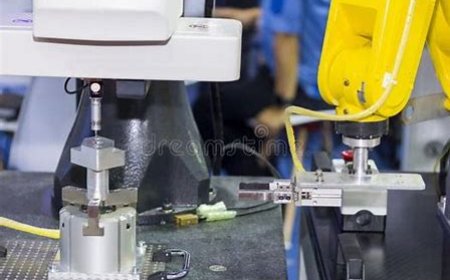
Surface Grinding and Finishing

Explore XR-based simulations for surface grinding and finishing operations. Students will interact with virtual surface grinders, simulating grinding processes on different materials to achieve precise flatness and superior surface finishes. Through scenarios involving the selection of grinding wheels, feed adjustments, and optimal workpiece setups, users can refine their skills in precision grinding. Feedback is provided on surface finish quality, material removal rates, and grinding accuracy, allowing users to enhance their machining abilities.

Ladder use

Enhance your skills in safely using ladders for various tasks, with XR simulations for correct placement, climbing techniques, and safety measures.

Gas Furnace Installation and Repair

The Gas Furnace Installation and Repair Simulation teaches students to install and repair gas furnaces, with a focus on proper venting and safety protocols for working with natural gas. Virtual scenarios guide students through connecting gas lines, ductwork, and venting systems for gas furnaces. Interactive exercises help students practice lighting pilot lights, adjusting gas valves, and monitoring flame sensors. The simulation provides feedback on safety practices, combustion efficiency, and troubleshooting issues like gas leaks, ignition failures, or cracked heat exchangers.

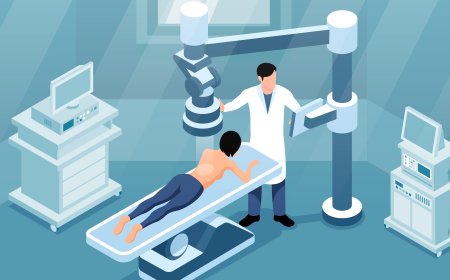
X-ray Equipment Operation Simulation

Immerse students in the operation of radiographic equipment, teaching them how to position machines, adjust settings, and capture accurate X-ray images using XR simulations.

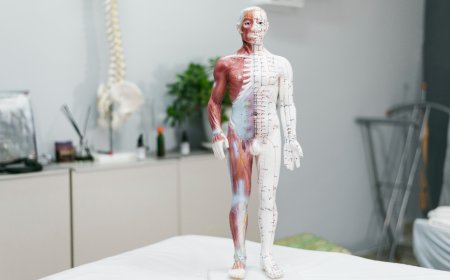
Anatomy and Physiology Review

Reinforce students' understanding of human anatomy, with a focus on structures relevant to surgery, through immersive XR technology. Virtual 3D models of the human body allow students to explore, manipulate, and interact with anatomical structures. Interactive quizzes and exercises enhance learning by testing knowledge of critical organs, systems, and their relationships. Simulations will show how different surgical procedures affect the body’s anatomical structures, bridging theory with practical application.

Machining Tolerances and Fits

Explore XR-based simulations for machining parts to meet specified tolerances and selecting appropriate fits for mating components. Students will interact with virtual machining scenarios, adjusting parameters to achieve precise tolerances, whether it's clearance, interference, or transition fits. This experience provides a deeper understanding of machining precision, helping to avoid the production of undersized or oversized parts. Real-time feedback ensures that users can evaluate part quality, tolerance control, and fit accuracy for optimal machining results.

LMS Integration

imaginX seamlessly integrates with leading LMS (Learning Management Systems), enabling educators to track student performance and allowing students to maintain their work records. It is compatible with popular platforms such as Canvas, Blackboard, Moodle, Google Classroom, Schoology, Sakai, Brightspace/D2L, and can also be used independently of an LMS.

Platform Features

Unlimited users faculty & students
Simulations
Simulations
Pedagogy Experts
Pedagogy Experts
Gamification
Gamification
Multiplayer
Multiplayer
Networking
Networking
Assignments
Assignments
Auto Grading
Auto Grading
AI
AI
LMS Integartion
LMS Integartion
Go Back Top