imaginX is used by many amazing schools and universities

University / College
Learning Objectives

At the end of this simulation, you will be able to:
  • Grasp the key principles of scaling up bioprocess operations from lab to industrial levels through virtual XR experiences.
  • Explore the effects of scale-up on critical factors like temperature, pH, oxygen transfer, and nutrient availability.
  • Use virtual bioreactor simulations to control and optimize critical parameters such as temperature, pH, oxygen levels, and nutrient supply.
  • Participate in interactive tutorials focusing on scaling up production for biologics, vaccines, and therapeutic compounds.
  • Experiment with virtual scenarios to determine optimal conditions for maximizing product yield, cost efficiency, and purity.

How do virtual labs work?

Enhance students' involvement in science by immersing them in interactive learning scenarios. Create simulations for experiments, provide hands-on training in laboratory techniques, and convey theoretical concepts through captivating visual experiences to improve their overall long-term learning outcomes.

  • Access web-based simulations that are compatible with laptops, Chromebooks, tablets, and iPads, eliminating the need for software installation.
  • Incorporate a teacher dashboard for automated grading and monitoring of student progress.
  • Utilize embedded quizzes to assist students in mastering scientific content.
  • Comprehensive repository of educational materials, including learning resources, lab reports, videos, theory pages, graphics, and more.

Relevant Course Packages All Course Packages

Wafer Fabrication Process Simulation

Explore the comprehensive wafer fabrication process through immersive XR simulations, covering photolithography, etching, doping, and deposition. Gain hands-on experience in managing fabrication equipment and ensuring precision at every step, from raw silicon to fully processed wafers.

Underwater Welding Basics Simulation

The Underwater Welding Basics Simulation introduces students to the unique challenges faced by underwater welders in industries like marine, oil, and gas. This simulation allows students to virtually practice underwater welding, including the use of specialized equipment and managing visibility and pressure conditions. It also covers safety protocols, dive techniques, and the key differences between wet and dry welding. Students receive real-time feedback on managing electrical current, welding speed, and ensuring the quality of welds in an underwater environment.

Backflow Prevention and Testing

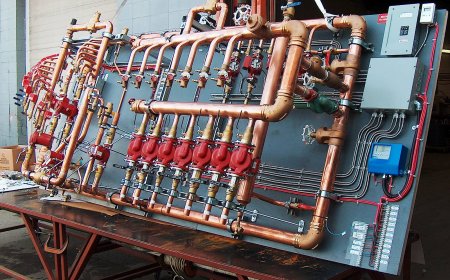
Explore the installation and testing of backflow prevention devices essential for safeguarding water supplies. This simulation covers the proper installation of backflow prevention devices in both residential and commercial plumbing systems. It also includes simulated testing of these devices, focusing on pressure checks and functional testing, with real-time feedback on installation quality, performance, and code compliance.

Geospatial Analysis and Remote Sensing

Explore the power of remote sensing technology and its application in civil engineering projects. Analyze satellite imagery and aerial photographs to map terrain, plan land use, and track urban development. Use geospatial data tools to detect changes in natural resources, land features, and environmental conditions. Receive feedback on data accuracy, interpretation, and the practical integration of this information into infrastructure planning.

Fixture Repair and Maintenance Simulation

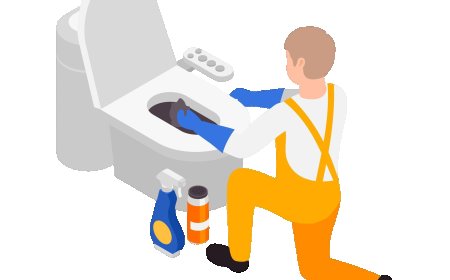
Enhance troubleshooting skills with this simulation, which focuses on diagnosing and repairing common plumbing fixture issues like leaks, blockages, and faulty components. Virtual scenarios allow for the practice of disassembling and repairing fixtures, such as leaky faucets, clogged drains, and running toilets, with real-time feedback on repair effectiveness, problem-solving approaches, and fixture functionality.

Signal Processing and Filtering Techniques

The Signal Processing and Filtering Techniques module provides virtual tools and interactive exercises to teach students how to process and analyze electrical signals using both digital and analog filtering methods. Through hands-on simulations, students explore signal conditioning, transformation, and noise reduction techniques.

LMS Integration

imaginX seamlessly integrates with leading LMS (Learning Management Systems), enabling educators to track student performance and allowing students to maintain their work records. It is compatible with popular platforms such as Canvas, Blackboard, Moodle, Google Classroom, Schoology, Sakai, Brightspace/D2L, and can also be used independently of an LMS.

Platform Features

Unlimited users faculty & students
Simulations
Simulations
Pedagogy Experts
Pedagogy Experts
Gamification
Gamification
Multiplayer
Multiplayer
Networking
Networking
Assignments
Assignments
Auto Grading
Auto Grading
AI
AI
LMS Integartion
LMS Integartion
Go Back Top