imaginX is used by many amazing schools and universities

University / College
Learning Objectives

At the end of this simulation, you will be able to:
  • Explore effective strategies for handling patients experiencing mental health crises, such as anxiety, panic attacks, and suicidal ideation.
  • Master de-escalation techniques and therapeutic communication to safely manage behavioral emergencies.
  • Learn to assess and maintain both patient and responder safety during crisis interventions.
  • Apply empathy and understanding to ensure positive outcomes in mental health crisis situations.
  • Receive feedback on crisis management skills, empathy, and adherence to safety protocols.

How do virtual labs work?

Enhance students' involvement in science by immersing them in interactive learning scenarios. Create simulations for experiments, provide hands-on training in laboratory techniques, and convey theoretical concepts through captivating visual experiences to improve their overall long-term learning outcomes.

  • Access web-based simulations that are compatible with laptops, Chromebooks, tablets, and iPads, eliminating the need for software installation.
  • Incorporate a teacher dashboard for automated grading and monitoring of student progress.
  • Utilize embedded quizzes to assist students in mastering scientific content.
  • Comprehensive repository of educational materials, including learning resources, lab reports, videos, theory pages, graphics, and more.

Relevant Course Packages All Course Packages

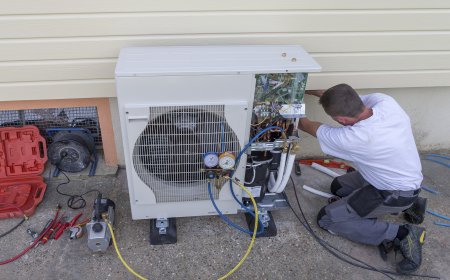
Chiller System Installation and Maintenance

The Chiller System Installation and Maintenance Simulation trains students on the installation, maintenance, and troubleshooting of chiller systems used in commercial buildings for large-scale cooling applications. Students will practice virtually installing air-cooled and water-cooled chiller systems, connecting them to cooling towers and air handlers. Maintenance tasks include cleaning chiller tubes, monitoring refrigerant levels, and inspecting compressors. Troubleshooting scenarios will focus on issues like reduced cooling capacity, refrigerant leaks, and mechanical failures. Real-time feedback will be provided on system performance, energy consumption, and efficiency optimization.

Threading Operations (Internal and External)

Train students to perform threading operations on both internal and external surfaces using lathe machines or hand-operated threading dies. Through XR simulations, students will practice cutting precise threads on bolts, shafts, and pipes, adjusting thread pitches, speeds, and maintaining proper tool alignment. The simulation provides hands-on experience with critical threading techniques, allowing students to gain proficiency in achieving accurate thread depths, uniformity, and fit for various applications.

Energy Systems and Power Generation

This XR simulation teaches students the principles of energy conversion and power generation systems, including the use of renewable energy sources. Through virtual simulations, students can explore various power generation systems, such as steam turbines, internal combustion engines, wind turbines, and solar panels. Interactive scenarios guide students in analyzing energy efficiency, heat loss, and optimizing power output, with feedback on energy conversion rates, sustainability, and overall system performance.

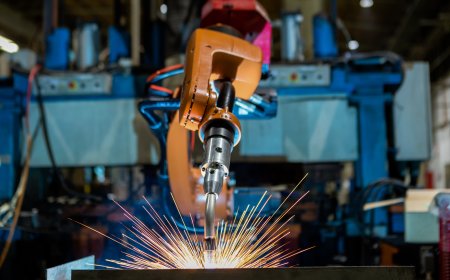
Weld Defect Identification and Correction

The Weld Defect Identification and Correction simulation leverages XR technology to train participants in recognizing and addressing common welding defects, ensuring superior weld quality. Through interactive scenarios and real-time feedback, users refine their skills in diagnosing and rectifying flaws.

Mechanical System Design and Optimization

Enable students to design and optimize complex mechanical systems through XR simulations. The simulation offers virtual scenarios where students can create and refine mechanical systems like engines, HVAC systems, turbines, and gearboxes. They will use interactive tools to adjust system parameters, reduce weight, improve efficiency, and lower production costs. Real-time feedback will guide students on design constraints, feasibility, and cost-effectiveness, helping them develop the skills to optimize mechanical systems for peak performance.

Mechanics of Solids and Fluids

Equip students with the foundational knowledge of solid mechanics and fluid dynamics, key principles in engineering applications. This course focuses on understanding the behavior of solid materials under stress and strain, as well as the movement of fluids within various engineering systems. Students will explore how these principles interact to optimize structural designs and fluid-based systems.

LMS Integration

imaginX seamlessly integrates with leading LMS (Learning Management Systems), enabling educators to track student performance and allowing students to maintain their work records. It is compatible with popular platforms such as Canvas, Blackboard, Moodle, Google Classroom, Schoology, Sakai, Brightspace/D2L, and can also be used independently of an LMS.

Platform Features

Unlimited users faculty & students
Simulations
Simulations
Pedagogy Experts
Pedagogy Experts
Gamification
Gamification
Multiplayer
Multiplayer
Networking
Networking
Assignments
Assignments
Auto Grading
Auto Grading
AI
AI
LMS Integartion
LMS Integartion
Go Back Top