imaginX is used by many amazing schools and universities

University / College
Learning Objectives

At the end of this simulation, you will be able to:
  • Learn the fundamentals of dry etching and wet etching, including their roles in pattern transfer and material removal.
  • Use virtual tools to adjust key parameters like etch rate, temperature, and chemical concentration, ensuring accurate patterning on wafers.
  • Familiarize yourself with Chemical Vapor Deposition (CVD) and Physical Vapor Deposition (PVD) methods for creating thin films.
  • Use interactive simulations to control deposition rates, temperatures, and material selection, observing their effects on layer thickness and uniformity.
  • Experiment with different materials and observe their influence on etching and deposition outcomes.
  • Assess virtual scenarios to optimize material selection and process conditions for performance, reliability, and quality control.

How do virtual labs work?

Enhance students' involvement in science by immersing them in interactive learning scenarios. Create simulations for experiments, provide hands-on training in laboratory techniques, and convey theoretical concepts through captivating visual experiences to improve their overall long-term learning outcomes.

  • Access web-based simulations that are compatible with laptops, Chromebooks, tablets, and iPads, eliminating the need for software installation.
  • Incorporate a teacher dashboard for automated grading and monitoring of student progress.
  • Utilize embedded quizzes to assist students in mastering scientific content.
  • Comprehensive repository of educational materials, including learning resources, lab reports, videos, theory pages, graphics, and more.

Relevant Course Packages All Course Packages

Fixture Repair and Maintenance Simulation

Enhance troubleshooting skills with this simulation, which focuses on diagnosing and repairing common plumbing fixture issues like leaks, blockages, and faulty components. Virtual scenarios allow for the practice of disassembling and repairing fixtures, such as leaky faucets, clogged drains, and running toilets, with real-time feedback on repair effectiveness, problem-solving approaches, and fixture functionality.

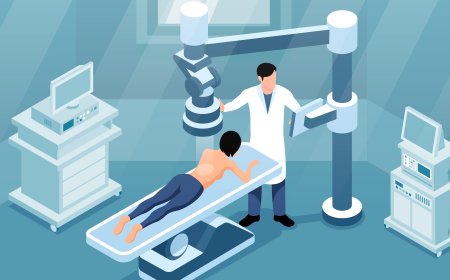
Medical Imaging Techniques

Enhance students' understanding of medical imaging techniques such as MRI, CT, ultrasound, and X-ray through immersive XR simulations. This interactive platform allows students to control virtual imaging equipment, visualize real-time results, and interpret medical images to identify anatomical structures and diagnose conditions effectively.

Disaster Preparedness and Mass Casualty Incident (MCI) Management

Immerse students in disaster preparedness and mass casualty incident (MCI) management through XR simulations. Students will explore virtual disaster scenarios, including natural disasters, chemical spills, and terrorist attacks, while practicing triage, resource allocation, and coordination with emergency services.

Landing Gear Systems and Hydraulic Maintenance

Explore XR-based simulations for servicing and maintaining aircraft landing gear systems, with a focus on hydraulic and mechanical components. Students will inspect, repair, and replace landing gear assemblies, shock absorbers, tires, and brakes, while learning about hydraulic system operation and fluid checks. Real-time feedback ensures accurate troubleshooting and landing gear reliability.

Drainage, Waste, and Vent (DWV) System Installation

Familiarize with Drainage, Waste, and Vent (DWV) systems essential for removing wastewater and preventing sewer gases from entering buildings. In this simulation, the virtual installation of drainage pipes, waste stacks, and vent pipes in various building types is explored. Proper pipe sloping for efficient drainage and venting is practiced, with real-time feedback on system functionality, code compliance, and troubleshooting clogs or vent issues. XR technology enhances the experience, offering immersive and interactive learning.

Building Automation Systems (BAS) and Smart HVAC

The Building Automation Systems (BAS) and Smart HVAC Simulation equips students with skills in installing and programming BAS to control HVAC systems, lighting, and other building systems in large commercial buildings. Students will engage in virtual scenarios to set up and program BAS systems, optimize energy use, and monitor the indoor climate. Interactive exercises will involve configuring smart thermostats, sensors, and networked devices for automated temperature and airflow control. Real-time feedback will focus on system efficiency, energy consumption, and troubleshooting networked components.

LMS Integration

imaginX seamlessly integrates with leading LMS (Learning Management Systems), enabling educators to track student performance and allowing students to maintain their work records. It is compatible with popular platforms such as Canvas, Blackboard, Moodle, Google Classroom, Schoology, Sakai, Brightspace/D2L, and can also be used independently of an LMS.

Platform Features

Unlimited users faculty & students
Simulations
Simulations
Pedagogy Experts
Pedagogy Experts
Gamification
Gamification
Multiplayer
Multiplayer
Networking
Networking
Assignments
Assignments
Auto Grading
Auto Grading
AI
AI
LMS Integartion
LMS Integartion
Go Back Top