imaginX is used by many amazing schools and universities

University / College

Learning Objectives

At the end of this simulation, you will be able to:
  • Learn how to design and customize fixtures and jigs for holding complex, irregularly shaped parts during machining.
  • Understand the importance of workholding techniques, including clamping and alignment, for maintaining machining accuracy.
  • Gain practical experience in ensuring fixture rigidity and stability during cutting operations.
  • Explore different workholding devices and their suitability for specific machining tasks.
  • Analyze and interpret feedback on fixture effectiveness, machining stability, and part accuracy to refine workholding strategies.

How do virtual labs work?

Enhance students' involvement in science by immersing them in interactive learning scenarios. Create simulations for experiments, provide hands-on training in laboratory techniques, and convey theoretical concepts through captivating visual experiences to improve their overall long-term learning outcomes.

  • Access web-based simulations that are compatible with laptops, Chromebooks, tablets, and iPads, eliminating the need for software installation.
  • Incorporate a teacher dashboard for automated grading and monitoring of student progress.
  • Utilize embedded quizzes to assist students in mastering scientific content.
  • Comprehensive repository of educational materials, including learning resources, lab reports, videos, theory pages, graphics, and more.

Relevant Course Packages All Course Packages

Airflow and Duct Design Simulation

The Airflow and Duct Design Simulation trains students in calculating airflow requirements and designing ducts to ensure HVAC systems operate efficiently. The simulation features virtual tools for calculating airflow based on building dimensions and heating/cooling loads. Students engage in interactive duct design exercises, where they size ducts, select materials, and place vents for optimal airflow. Real-time feedback is provided on pressure loss, air distribution efficiency, and adherence to industry standards.

Bridge Design and Analysis

Explore the principles of designing and analyzing a variety of bridges, such as suspension, truss, arch, and beam structures, through immersive XR simulations. Students can enhance their skills by creating virtual models, analyzing forces, and assessing structural behavior under dynamic loads. Engage in interactive scenarios to test bridge designs against real-world challenges, including wind, earthquakes, and traffic. Receive detailed feedback on load distribution, material optimization, and stability improvements to refine designs effectively.

Disaster Preparedness and Mass Casualty Incident (MCI) Management

Immerse students in disaster preparedness and mass casualty incident (MCI) management through XR simulations. Students will explore virtual disaster scenarios, including natural disasters, chemical spills, and terrorist attacks, while practicing triage, resource allocation, and coordination with emergency services.

Clinical Equipment Calibration and Maintenance

Provide hands-on training in the calibration, maintenance, and troubleshooting of clinical equipment used in hospitals and research labs through immersive XR simulations. Students will interact with devices like ventilators, infusion pumps, ECG machines, and defibrillators to enhance their technical skills and ensure optimal device performance.

Process Control and Automation Simulation

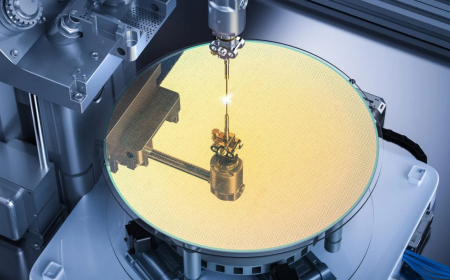
Immerse in process control and automation through interactive XR simulations. Work with virtual control panels, automated equipment, and robotic systems to monitor, adjust, and optimize semiconductor fabrication processes, while troubleshooting control issues with precision and efficiency.

Structural Welding and Pipe Welding Simulations

The Structural Welding and Pipe Welding Simulations utilize XR to immerse users in realistic scenarios for welding structural components and pipes, emphasizing construction and industrial techniques.

LMS Integration

imaginX seamlessly integrates with leading LMS (Learning Management Systems), enabling educators to track student performance and allowing students to maintain their work records. It is compatible with popular platforms such as Canvas, Blackboard, Moodle, Google Classroom, Schoology, Sakai, Brightspace/D2L, and can also be used independently of an LMS.

Platform Features

Unlimited users faculty & students
Simulations
Simulations
Pedagogy Experts
Pedagogy Experts
Gamification
Gamification
Multiplayer
Multiplayer
Networking
Networking
Assignments
Assignments
Auto Grading
Auto Grading
AI
AI
LMS Integartion
LMS Integartion
Go Back Top