imaginX is used by many amazing schools and universities

University / College
Learning Objectives

At the end of this simulation, you will be able to:
  • Understand the principles of smart home automation, including the integration of lighting, HVAC, and security systems.
  • Simulate the installation and configuration of smart home devices such as lighting, thermostats, cameras, and voice-activated controls.
  • Gain hands-on practice in setting up Wi-Fi-enabled smart home devices and integrating them with existing electrical systems.
  • Troubleshoot common connectivity issues and ensure seamless operation between smart devices and electrical networks.
  • Receive feedback on system compatibility, efficiency, and troubleshooting methods to improve overall smart home integration.

How do virtual labs work?

Enhance students' involvement in science by immersing them in interactive learning scenarios. Create simulations for experiments, provide hands-on training in laboratory techniques, and convey theoretical concepts through captivating visual experiences to improve their overall long-term learning outcomes.

  • Access web-based simulations that are compatible with laptops, Chromebooks, tablets, and iPads, eliminating the need for software installation.
  • Incorporate a teacher dashboard for automated grading and monitoring of student progress.
  • Utilize embedded quizzes to assist students in mastering scientific content.
  • Comprehensive repository of educational materials, including learning resources, lab reports, videos, theory pages, graphics, and more.

Relevant Course Packages All Course Packages

Basic Machine Operation and Safety

Explore the safe operation of common machining tools like lathes, mills, grinders, and drill presses, using XR to enhance machine handling and safety protocols.

Building Information Modeling (BIM)

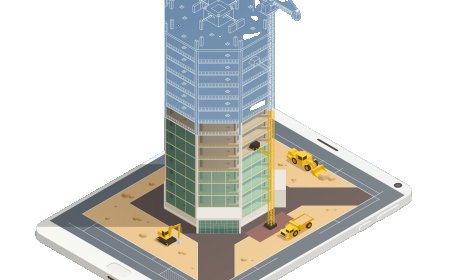
Enhance understanding of BIM technology for planning, designing, and managing construction projects. Students can explore virtual environments to create 3D models of buildings and infrastructure, visualize construction phases, and estimate costs. Interactive tools enable the identification of design clashes and foster improved coordination across project stages. Feedback ensures precision in design, cost-effectiveness, and construction feasibility.

Avionics Systems Troubleshooting

Explore XR-based simulations for maintaining and repairing avionics systems, including communication, navigation, and monitoring equipment. Students will engage with components like radar systems, transponders, flight control systems, and GPS, troubleshooting electrical issues, calibrating instruments, and updating software. Real-time feedback ensures optimal diagnostic accuracy, fault identification, and avionics performance.

Material Science and Engineering

Explore the properties, behaviors, and applications of engineering materials through interactive XR simulations.

Geotechnical Engineering and Soil Mechanics

This XR simulation provides students with hands-on training in soil analysis, foundation design, and geotechnical investigation techniques. Virtual soil testing labs allow students to perform essential tests such as the Standard Penetration Test (SPT), Cone Penetration Test (CPT), and triaxial shear tests. The simulation includes interactive scenarios for designing shallow and deep foundations, retaining walls, and methods for slope stabilization. Students receive feedback on soil classification, bearing capacity, settlement predictions, and foundation stability to ensure they understand the fundamental principles of geotechnical engineering.

Landing Gear Systems and Hydraulic Maintenance

Explore XR-based simulations for servicing and maintaining aircraft landing gear systems, with a focus on hydraulic and mechanical components. Students will inspect, repair, and replace landing gear assemblies, shock absorbers, tires, and brakes, while learning about hydraulic system operation and fluid checks. Real-time feedback ensures accurate troubleshooting and landing gear reliability.

LMS Integration

imaginX seamlessly integrates with leading LMS (Learning Management Systems), enabling educators to track student performance and allowing students to maintain their work records. It is compatible with popular platforms such as Canvas, Blackboard, Moodle, Google Classroom, Schoology, Sakai, Brightspace/D2L, and can also be used independently of an LMS.

Platform Features

Unlimited users faculty & students
Simulations
Simulations
Pedagogy Experts
Pedagogy Experts
Gamification
Gamification
Multiplayer
Multiplayer
Networking
Networking
Assignments
Assignments
Auto Grading
Auto Grading
AI
AI
LMS Integartion
LMS Integartion
Go Back Top