imaginX is used by many amazing schools and universities

University / College
Learning Objectives

At the end of this simulation, you will be able to:
  • Learn the purpose and significance of measurement and inspection in semiconductor fabrication, focusing on material and device analysis.
  • Explore key metrology concepts like critical dimensions, surface roughness, and film thickness.
  • Use interactive virtual tools to simulate the operation of Scanning Electron Microscopes (SEM), Atomic Force Microscopes (AFM), and profilometers.
  • Practice adjusting instrument parameters and settings to achieve accurate and reliable measurements.
  • Conduct virtual measurements to determine film thickness, surface roughness, and critical dimensions of semiconductor devices.
  • Interpret data to assess material characteristics, performance, and compliance with manufacturing specifications.

How do virtual labs work?

Enhance students' involvement in science by immersing them in interactive learning scenarios. Create simulations for experiments, provide hands-on training in laboratory techniques, and convey theoretical concepts through captivating visual experiences to improve their overall long-term learning outcomes.

  • Access web-based simulations that are compatible with laptops, Chromebooks, tablets, and iPads, eliminating the need for software installation.
  • Incorporate a teacher dashboard for automated grading and monitoring of student progress.
  • Utilize embedded quizzes to assist students in mastering scientific content.
  • Comprehensive repository of educational materials, including learning resources, lab reports, videos, theory pages, graphics, and more.

Relevant Course Packages All Course Packages

Steel Structure Design and Fabrication

Explore the intricacies of designing and fabricating steel structures for industrial buildings, towers, and infrastructure projects. Use virtual tools to create steel frames, beams, columns, and joints, with scenarios analyzing load-bearing capacity, material stresses, and connection stability. Receive insights on enhancing durability, optimizing fabrication techniques, and performing cost analysis for efficient project execution.

Structural Analysis and Design

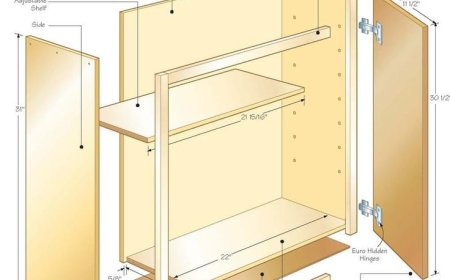
This XR simulation teaches students the principles of structural analysis and the design of buildings, bridges, and other infrastructures. Virtual scenarios allow students to analyze the strength, stability, and behavior of structures under various loads (e.g., dead loads, live loads, wind loads, seismic loads). Students use interactive tools to design beams, columns, trusses, and frames, selecting materials like steel, concrete, and timber. The simulation provides feedback on stress distribution, load-bearing capacity, safety factors, and compliance with engineering standards, helping students make sound design decisions.

Sensor and Actuator Integration Simulation

Sensor and Actuator Integration Simulation teaches students how to integrate various types of sensors (such as proximity, temperature, and pressure) with actuators in automated systems. Through hands-on simulations, students will virtually integrate sensors into control systems, monitor input data in real-time, and observe how actuators (such as motors, solenoids, and relays) respond to sensor inputs. The course provides valuable feedback on sensor accuracy, system responsiveness, and effective calibration techniques.

Electrical Systems and Control Wiring

The Electrical Systems and Control Wiring Simulation trains users in installing and troubleshooting electrical wiring and control systems in HVAC units. The simulation allows virtual practice with wiring components such as compressors, fans, motors, and thermostats. Interactive scenarios provide troubleshooting experience with common electrical issues like faulty wiring, blown fuses, and tripped breakers. Real-time feedback focuses on wiring accuracy, electrical load, and system functionality.

Energy Audits and Efficiency Simulations

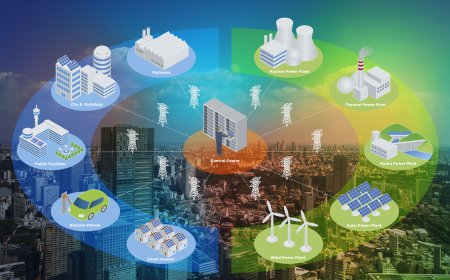
Learn how to conduct energy audits and recommend energy-efficient upgrades for electrical systems. In this simulation, students will perform virtual energy audits for homes or businesses, analyzing energy consumption from lighting, HVAC, and appliances. They will then recommend electrical system upgrades, such as LED lighting or energy-efficient appliances. Real-time feedback will be provided on cost savings, energy usage reduction, and the environmental impact of their recommendations.

Neural Engineering and Brain-Computer Interfaces (BCIs)

Immerse students in the design and testing of neural interfaces that connect the brain to external devices, such as prosthetic limbs and communication aids. Through advanced XR simulations, students will develop and refine brain-computer interfaces (BCIs), analyze EEG signals, and create algorithms for neural control.

LMS Integration

imaginX seamlessly integrates with leading LMS (Learning Management Systems), enabling educators to track student performance and allowing students to maintain their work records. It is compatible with popular platforms such as Canvas, Blackboard, Moodle, Google Classroom, Schoology, Sakai, Brightspace/D2L, and can also be used independently of an LMS.

Platform Features

Unlimited users faculty & students
Simulations
Simulations
Pedagogy Experts
Pedagogy Experts
Gamification
Gamification
Multiplayer
Multiplayer
Networking
Networking
Assignments
Assignments
Auto Grading
Auto Grading
AI
AI
LMS Integartion
LMS Integartion
Go Back Top