imaginX is used by many amazing schools and universities

University / College
Learning Objectives

At the end of this simulation, you will be able to:
  • Understand the principles of prosthetic and orthotic device design and fitting.
  • Design customizable lower and upper limb prosthetics based on patient needs.
  • Learn to fit prosthetic devices to virtual patients, adjusting alignment for comfort and function.
  • Evaluate device ergonomics, mechanical strength, and patient mobility.
  • Receive real-time feedback on device performance to enhance understanding of prosthetics and orthotics.

How do virtual labs work?

Enhance students' involvement in science by immersing them in interactive learning scenarios. Create simulations for experiments, provide hands-on training in laboratory techniques, and convey theoretical concepts through captivating visual experiences to improve their overall long-term learning outcomes.

  • Access web-based simulations that are compatible with laptops, Chromebooks, tablets, and iPads, eliminating the need for software installation.
  • Incorporate a teacher dashboard for automated grading and monitoring of student progress.
  • Utilize embedded quizzes to assist students in mastering scientific content.
  • Comprehensive repository of educational materials, including learning resources, lab reports, videos, theory pages, graphics, and more.

Relevant Course Packages All Course Packages

Mechanics of Solids and Fluids

Equip students with the foundational knowledge of solid mechanics and fluid dynamics, key principles in engineering applications. This course focuses on understanding the behavior of solid materials under stress and strain, as well as the movement of fluids within various engineering systems. Students will explore how these principles interact to optimize structural designs and fluid-based systems.

Finite Element Analysis (FEA) Simulation

Train students to perform stress, strain, and deformation analysis on mechanical components using Finite Element Analysis (FEA) through immersive XR simulations. The virtual environment allows students to apply loads, constraints, and boundary conditions to 3D models of mechanical components, providing interactive lessons on stress distribution, thermal effects, vibration analysis, and material failure points. Feedback is provided on the structural integrity, safety factors, and optimization of mechanical designs to improve understanding and decision-making in engineering design processes.

Anatomy and Physiology Review

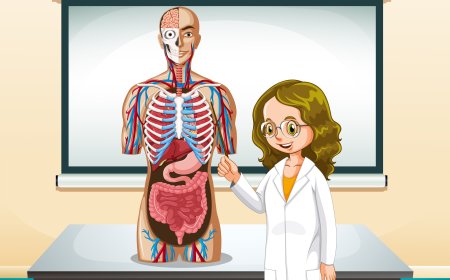
Reinforce students' understanding of human anatomy, with a focus on structures relevant to surgery, through immersive XR technology. Virtual 3D models of the human body allow students to explore, manipulate, and interact with anatomical structures. Interactive quizzes and exercises enhance learning by testing knowledge of critical organs, systems, and their relationships. Simulations will show how different surgical procedures affect the body’s anatomical structures, bridging theory with practical application.

Advanced Manufacturing Simulations

Explore and enhance your understanding of modern manufacturing processes such as additive manufacturing (3D printing) and smart factory environments. With XR simulations, students can engage in virtual assembly lines where IoT devices track performance and optimize production. Gain insights into advanced techniques like 3D printing, laser cutting, and automated inspection. Experience real-time feedback on system performance, process optimization, and predictive maintenance, all within an immersive XR environment.

Robotics and Unmanned Aerial Vehicles (UAVs)

Explore the world of designing, building, and controlling Unmanned Aerial Vehicles (UAVs) and aerospace robotics for autonomous flight. In this simulation, students will gain hands-on experience by programming UAVs for specific missions, including navigation, obstacle avoidance, and data collection. Using XR-enabled environments, students will interact with drone dynamics, sensor integration, and flight path optimization techniques, while receiving valuable feedback on UAV stability, control responses, and overall mission performance.

Geospatial Analysis and Remote Sensing

Explore the power of remote sensing technology and its application in civil engineering projects. Analyze satellite imagery and aerial photographs to map terrain, plan land use, and track urban development. Use geospatial data tools to detect changes in natural resources, land features, and environmental conditions. Receive feedback on data accuracy, interpretation, and the practical integration of this information into infrastructure planning.

LMS Integration

imaginX seamlessly integrates with leading LMS (Learning Management Systems), enabling educators to track student performance and allowing students to maintain their work records. It is compatible with popular platforms such as Canvas, Blackboard, Moodle, Google Classroom, Schoology, Sakai, Brightspace/D2L, and can also be used independently of an LMS.

Platform Features

Unlimited users faculty & students
Simulations
Simulations
Pedagogy Experts
Pedagogy Experts
Gamification
Gamification
Multiplayer
Multiplayer
Networking
Networking
Assignments
Assignments
Auto Grading
Auto Grading
AI
AI
LMS Integartion
LMS Integartion
Go Back Top